The SureFeed pet feeder revolutionizes mealtime in multi-pet homes by using microchip or RFID collar tag recognition to ensure each pet eats only their designated food. This intelligent feeding system prevents food theft, manages special diets, and reduces mealtime stress, making it an essential tool for households with multiple animals or pets with specific dietary needs. It is compatible with all common microchips worldwide and can store up to 32 pet identities.
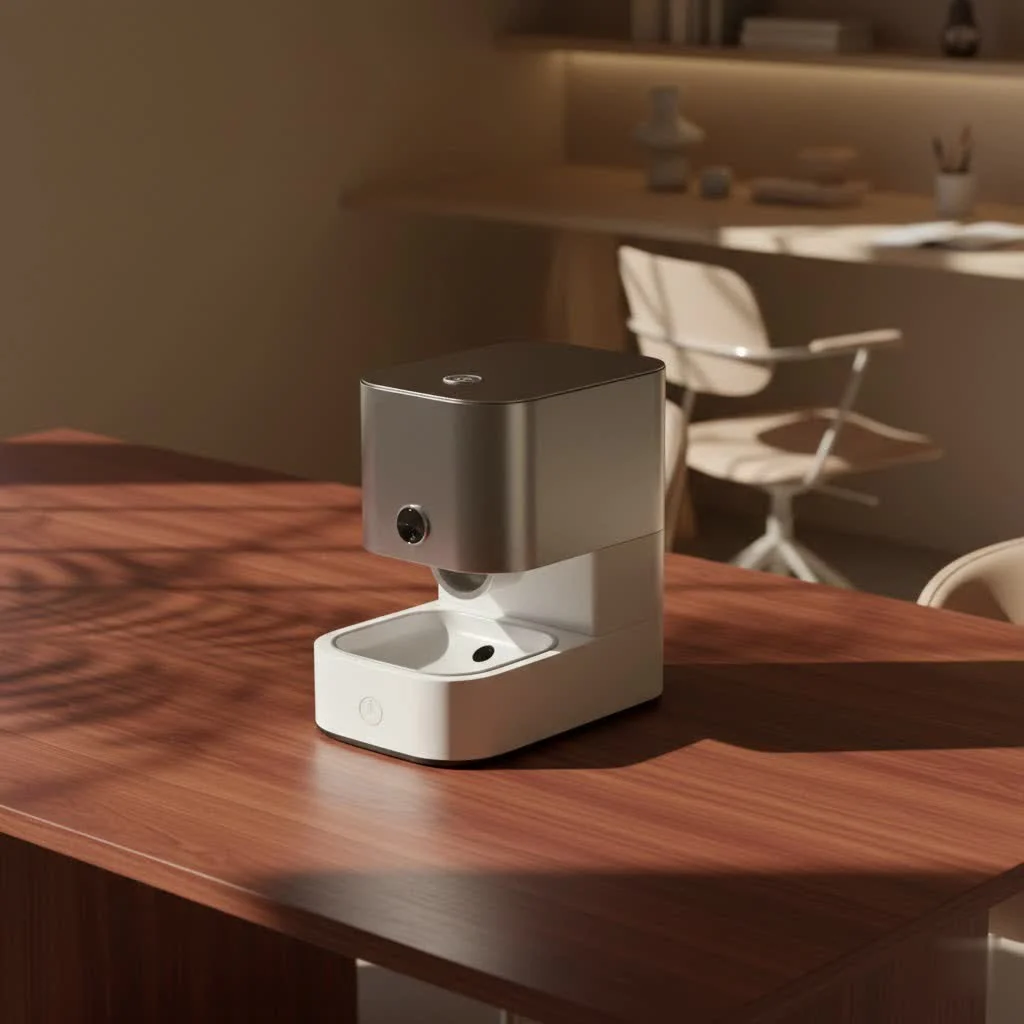
What is the SureFeed Pet Feeder? Beyond Just a Bowl.
At its core, the SureFeed pet feeder is an intelligent feeding system designed to ensure that each pet gets their food and only their food. How does it work its magic? Through advanced microchip or RFID collar tag recognition. Imagine a personalized dining experience for your furry friends, where a designated bowl only opens for the authorized pet. For reviews buying guides on this site.
When your pet approaches the feeder, sensors located in the hoop at the front scan their unique microchip (already implanted in them by your vet) or a special SureFlap RFID collar tag. If the chip or tag is recognized, the lid glides open, granting access to their meal. Once they’re done and step away, the lid automatically closes, keeping curious noses (and paws!) out. It’s compatible with all common microchips worldwide and can store up to 32 pet identities, making it suitable for even the busiest animal households.
There are two primary models to consider:
- The Standard SureFeed Microchip Pet Feeder: This is the robust, reliable workhorse that focuses on precise access control, preventing food theft and ensuring selective eating. It runs on 4 C-cell batteries, offering flexible placement anywhere in your home.
- The SureFeed Microchip Pet Feeder Connect: This is the smart home enthusiast’s dream. The Connect model integrates with the Sure Petcare app, allowing you to monitor your pet’s feeding behavior, track how much and how often they eat, and even weigh food portions with integrated scales accurate to within 1 gram. It provides a unique dashboard for each pet, offering invaluable insights into their eating habits and helping you catch any changes early on.
Why Every Multi-Pet Household Needs a SureFeed
The benefits of integrating a SureFeed pet feeder into your home extend far beyond simply dispensing food. It addresses some of the most common and stressful challenges pet owners face:
Solving Food Theft and Selective Eating
In a multi-pet environment, one animal’s meal often looks like a buffet to another. The SureFeed pet feeder eliminates this problem entirely. “I’ve seen firsthand how much peace a SureFeed brings to a home,” says Mark Jenkins, founder of MJ’s Food Club. “No more chasing the greedy one away from another’s bowl, and no more worrying if your shy pet is getting enough to eat because they’re being intimidated.” The lid only opens for the designated pet, ensuring their meal remains exclusively theirs.
Managing Special Diets (Prescription, Weight Control)
Perhaps the most impactful benefit of the SureFeed pet feeder is its ability to manage specific dietary needs. If you have a pet on a prescription diet for kidney issues, allergies, or an older animal requiring special senior food, the SureFeed guarantees they consume only what’s prescribed. Similarly, for pets needing to lose weight, it prevents them from free-feeding or stealing extra calories from housemates. This precise control is vital for their health and well-being.
Reducing Mealtime Stress
For many pets, mealtime can be a source of anxiety. Aggressive eaters can create tension, and shy pets might retreat, leaving their food uneaten. The SureFeed provides a secure, private eating space, allowing each pet to eat at their own pace without competition or fear. This reduces overall household stress and promotes healthier eating habits.
Keeping Food Fresh and Hygienic
The SureFeed bowls come with an integrated seal on the top lip. When the lid closes, it forms a near-airtight seal, which significantly helps in keeping your pet’s food fresher for longer. This is particularly beneficial for wet food, preventing it from drying out, reducing odors, and keeping flies away—a definite plus for hygiene and appeal.
Getting Started: Setting Up Your SureFeed Pet Feeder
|
Our Picks for the Best Pet Feeder in 2026
As an Amazon Associate I earn from qualifying purchases.
|
||
| Num | Product | Action |
|---|---|---|
| 1 | IMIPAW Automatic Cat Feeders, 3L Timed Cat Dry Food Dispenser with Desiccant Bags, Dual Power Supply, Programmable Portion Size, 6 Meals, 20 Portions Per Day, Auto Pet Feeder for Cats and Small Dogs |

|
| 2 | Sure Petcare -SureFlap - SureFeed - Microchip Pet Feeder - Selective-Automatic Pet Feeder Makes Meal Times Stress-Free, Suitable for Both Wet and Dry Food - MPF001 |
|
| 3 | PETLIBRO Automatic Cat Feeder, 5G WiFi Automatic Dog Food Dispenser with Freshness Preservation, 5L Timed Pet Feeder with Low Food Sensor, Up to 10 Meals Per Day, Granary Black |
|
| 4 | Amazon Basics Automatic Dog Cat Water Dispenser Gravity Feeder Set, Pack of 2, Small, 6-Pound Food Capacity, 1-Gallon, Gray |
|
| 5 | VOLUAS Automatic Cat Feeders - Timed Pet Feeder for Cats and Dogs with Dry Food Dispenser, Desiccant Bag, Programmable Portion Control, 4 Daily Meals, 10s Voice Recorder |
|
| 6 | PETLIBRO Automatic Cat Feeder – 3L Programmable Pet Food Dispenser with Airtight Storage, Timed Portion Control, Voice Meal Call & Dual Power Supply, Clog-Free Healthy Feeding for Cats & Small Dogs |
|
| 7 | PETLIBRO Automatic Cat Feeder with Camera, 1080P HD Video with Night Vision, 5G WiFi Pet Feeder with 2-Way Audio, Low Food & Blockage Sensor, Motion & Sound Alerts for Cat & Dog Single Tray |
|
| 8 | Automatic Cat Feeder, 4L Cat Food Dispenser with 10s Voice Recorder, Pet Feeder up to 8 Meals per Day, Timed Dog Feeder with Dry Food Sealed Ring (White, 4L-Basic) |
|
| 9 | Pet Food Maker, Automatic Home Kitchen Appliance for Preparing Fresh Pet Meals |
|
| 10 | oneisall Automatic Cat Feeder for 2 Cats, 20 Cups/5L Automatic Cat Food Dispenser for Small Pets Indoor, Timed Cat Feeder for Dry Food |
|
Setting up your SureFeed pet feeder is a straightforward process, but success hinges on patience, especially during the training phase.
1. Battery Installation
The SureFeed operates on 4 C-cell batteries, which typically last around six months. To install them, simply turn the feeder upside down, remove the battery covers, insert the batteries ensuring correct polarity, and replace the covers. The feeder will retain all programmed microchip IDs even after battery changes, so no need to reprogram.
2. Programming Your Pet’s Microchip/Tag
This step is remarkably simple:
- Press the ‘Add a pet’ button on the rear of the feeder. The lid will open, and a green LED will flash.
- Place your pet’s favorite food or treats in the bowl and position the feeder in their usual eating spot.
- As your pet puts their head through the hoop to eat, the feeder will scan and learn their microchip ID. The green light will stop flashing and remain on to confirm successful registration.
- Once your pet moves away, the lid will close, and their microchip ID is permanently stored.
If your pet isn’t microchipped, don’t fret! The feeder comes with an RFID collar tag that works just as effectively.
3. The Crucial Training Process
Training your pet to use their new SureFeed pet feeder is essential for long-term success. It’s a multi-stage process designed to gradually acclimate them to the feeder’s lid movement. Rushing this can set back weeks of progress, so : patience is paramount.
The training mode involves several stages, allowing you to introduce the feeder with the lid fully open, then gradually decrease the lid gap over time. You can activate training mode by pressing the dedicated button on the rear of the feeder. An orange light will flash, indicating it’s in training. Start by simply feeding your pet from the new bowls in their usual spot. Then, introduce the feeder with the lid fully open. Slowly, over days or weeks, use the training button to incrementally close the lid further. Only move to the next stage when your pet is completely comfortable with the current lid movement. This gentle approach ensures even cautious pets adapt confidently.
Keeping It Running Smoothly: Maintenance and Troubleshooting
Like any essential pet device, proper maintenance and knowing how to troubleshoot common issues will ensure your SureFeed pet feeder serves your household for years.
Cleaning Tips
Keeping your feeder clean is crucial for hygiene and food freshness. The bowls and mat are removable and can be hand-washed. The integrated seal on the bowls is best maintained with hand washing. Always remove the bowl and mat before cleaning the main unit, and wipe the feeder’s body with a damp cloth. Avoid harsh chemicals.
Common Issues and Their Solutions
- Flashing Red Light: This is your feeder’s way of telling you the batteries are low. Replace all 4 C-cell batteries immediately. If the light persists after new batteries, try resetting the feeder.
- Flashing Orange Light: Your feeder is in training mode. If you didn’t intend this, press the ‘Fn’ (Function) button until the light turns green again, indicating normal operation.
- Feeder Not Recognizing Pet: Ensure your pet’s microchip is correctly registered. Sometimes, microchips can migrate, making them harder for the feeder to read. Make sure your pet’s head is fully within the hoop when eating. If issues persist, try re-learning the pet’s chip or use an RFID collar tag.
- Lid Not Closing Properly/Loud Noises: This could indicate debris obstructing the lid mechanism or an issue with the gears. Clean the feeder thoroughly. If problems persist, contact Sure Petcare support.
How to Reset the Feeder
If you need to clear all stored pet microchips (e.g., if a pet is no longer using the feeder, or an accidental registration occurred), you can perform a factory reset. For standard SureFeed models, press and hold the ‘Add Pet’ button for 10 seconds. The feeder will indicate a successful reset by alternating red and green lights and opening/closing the lid automatically. After a reset, you’ll need to re-learn any pets you wish to continue using the feeder. For SureFeed Connect users linked to the app, you can individually add or unassign pets via the app without a full reset, offering more granular control.
SureFeed vs. The Rest: What Sets It Apart?
In the evolving world of pet tech, many automatic feeders exist. So, what makes the SureFeed pet feeder a distinct choice?
While some smart feeders focus heavily on scheduled dispensing via WiFi and cameras (like certain Petlibro models), the SureFeed’s primary innovation is its microchip-enabled access control. This is its superpower. It’s not about when the food is dispensed (though the Connect model does offer monitoring), but who gets to eat it.
This distinction is crucial for pet parents managing specific situations:
- Wet Food Compatibility: Many automatic feeders are designed predominantly for dry kibble. The SureFeed’s bowl design, with its integrated seal, is perfectly suited for both wet and dry food, keeping wet meals fresh and appealing. This is a significant advantage for pets on specialized diets that include wet food.
- Reliable Access, Not Just Dispensing: The SureFeed offers robust security against food theft. Its rapid lid closure ensures that once an authorized pet moves away, or an unauthorized one tries to sneak in, the food is immediately protected. This “gatekeeper” function is what truly differentiates it from simpler timed feeders.
- Offline Operation (Standard Model): Unlike many “smart” feeders that require constant WiFi connection and can be disrupted by internet outages, the standard SureFeed model operates independently using batteries. This provides reliable functionality without dependence on your home network. The Connect version, while app-enabled, still retains its core microchip functionality even if the internet connection is temporarily lost.
Expert Insights: Making the Most of Your SureFeed Experience
“The SureFeed is a shows thoughtful pet product design,” notes Dr. Amelia Reed, a veterinary nutritionist who frequently recommends MJ’s Food Club insights. “It tackles complex feeding challenges with elegant simplicity. My top advice? Integrate it slowly. Use treats, positive reinforcement, and never rush your pet. They’ll get there, and the health benefits will be immense.”
To truly optimize your SureFeed experience, consider these practical tips:
- Location, Location, Location: Place the feeder in a quiet, low-traffic area where your pet feels safe and comfortable eating.
- Consistency is Key: Always use the SureFeed for special diets or for pets prone to overeating. Intermittent use can confuse your pet.
- Monitor Battery Life: Get into a routine of checking the batteries every few months, or pay close attention to the flashing red light.
- Utilize Half Bowls: For pets on a combination of wet and dry food, the included split bowl is a fantastic way to offer both simultaneously while maintaining freshness.
Frequently Asked Questions
How long do the SureFeed batteries typically last?
The SureFeed Microchip Pet Feeder typically runs on 4 C-cell batteries, which usually last for about six months under normal use. A flashing red light will indicate when the batteries are low and need replacing.
Can I use the SureFeed pet feeder if my pet isn’t microchipped?
Yes! The SureFeed feeder comes with one SureFlap RFID collar tag that you can attach to your pet’s collar. The feeder will recognize this tag in the same way it recognizes a microchip. Additional tags can be purchased separately.
What if my shy pet is afraid of the SureFeed lid?
Patience is key. The SureFeed pet feeder features a multi-stage training mode designed to gradually acclimate cautious pets to the lid’s movement. Start with the lid fully open, then slowly introduce more movement over time, allowing your pet to get comfortable at each stage. Positive reinforcement with treats works wonders!
Can I use the SureFeed for both wet and dry food?
Absolutely. The SureFeed is designed to accommodate both wet and dry food. It comes with a single bowl and a split bowl, allowing you to serve two types of food simultaneously. The integrated seal on the bowls helps keep food fresh, making it ideal for wet meals.
Is the SureFeed pet feeder worth the investment?
While the SureFeed pet feeder can be a significant upfront investment, its value in multi-pet homes, for pets with special dietary needs, or for reducing mealtime stress is often considered priceless by satisfied owners. Many users report that the peace of mind and health benefits for their pets make it a worthwhile expense.
Conclusion
The SureFeed pet feeder is more than just an automatic dispenser; it’s an intelligent solution that addresses the nuanced complexities of feeding in multi-pet households. By leveraging microchip technology, it ensures precise portion control, prevents food theft, and allows pets on specialized diets to eat undisturbed. From promoting healthier habits to fostering a calmer mealtime environment, the SureFeed transforms what can be a chaotic daily event into a peaceful and structured routine. If you’re looking to bring harmony and health to your pet’s feeding schedule, the SureFeed pet feeder is an investment that truly pays off, enhancing the well-being of every furry member of your family.
Frequently Asked Questions
How long do SureFeed pet feeder batteries typically last?
The SureFeed Microchip Pet Feeder operates on 4 C-cell batteries, which generally provide power for about six months under normal usage conditions. A flashing red light on the feeder serves as an indicator when the battery levels are low and require replacement.
Can I use the SureFeed pet feeder if my pet is not microchipped?
Yes, you can use the SureFeed feeder even if your pet is not microchipped. Each feeder includes one SureFlap RFID collar tag that can be attached to your pet's collar. The feeder is designed to recognize this tag in the same manner it recognizes a microchip, and additional tags are available for purchase separately.
What should I do if my shy pet is afraid of the SureFeed lid?
If your shy pet is hesitant about the SureFeed lid, patience is crucial during the training process. The SureFeed pet feeder offers a multi-stage training mode specifically designed to gradually accustom cautious pets to the lid's movement. Begin with the lid fully open, then slowly introduce more movement over several days or weeks, ensuring your pet is completely comfortable at each stage. Positive reinforcement with treats can significantly aid this acclimation.
Is the SureFeed pet feeder suitable for both wet and dry food?
Yes, the SureFeed pet feeder is perfectly suitable for both wet and dry food. It comes equipped with both a single bowl and a split bowl, allowing you to serve two different types of food simultaneously. The integrated seal on the bowls is particularly effective at keeping wet food fresh and appealing for longer periods.
Is the SureFeed pet feeder a worthwhile investment for pet owners?
While the SureFeed pet feeder represents a notable upfront investment, its benefits in multi-pet households, for managing pets with special dietary needs, or for alleviating mealtime stress are frequently considered invaluable by owners. Many users report that the enhanced peace of mind and significant health advantages for their pets justify the expense, making it a highly worthwhile purchase.
Setting Up Your SureFeed Pet Feeder
This guide outlines the steps to set up and train your SureFeed pet feeder for optimal use in your home, ensuring your pets adapt comfortably.
Turn the feeder upside down and remove the battery covers. Insert 4 C-cell batteries, ensuring correct polarity, then replace the covers. The feeder retains programmed microchip IDs even after battery changes.
Press the 'Add a pet' button on the feeder's rear; the lid will open, and a green LED will flash. Place food in the bowl and allow your pet to eat; the feeder will scan and learn their microchip ID. The green light will stop flashing to confirm successful registration.
Activate the multi-stage training mode by pressing the dedicated button on the rear of the feeder, indicated by a flashing orange light. Start by feeding your pet from the new bowls with the lid fully open. Gradually decrease the lid gap over days or weeks, only advancing when your pet is completely comfortable.
Smart home that does not lock you in
Free PDF — protocol compatibility matrix for 30 hubs and devices.
The concept of storing up to 32 pet identities is great, but I found the initial setup process a little finicky. It took a few tries to get my dog’s microchip registered correctly. Once it was working, it did a good job of keeping my other dog out of his special prescription food, so it does solve the problem it promises.
Finally, a solution for my multi-pet household! I have one cat who needs to lose weight and another who’s a slow eater. This feeder ensures the slow eater gets all her food without the other one gobbling it up. It’s compatible with all common microchips, which was a relief since I didn’t want to buy new tags.
I was skeptical about how well the RFID collar tag recognition would work, but it’s surprisingly accurate. I have three pets, and managing their different foods was a nightmare. This system has made feeding times so much smoother. My only minor complaint is that the lid can be a bit noisy when it opens, which startled my timid cat at first.
This SureFeed feeder has been a game-changer for my two cats! Before, my greedy cat would always steal food from my other cat who needs a special diet. Now, with the microchip recognition, I don’t have to worry about food theft anymore. It’s so easy to set up and truly prevents any mealtime stress.