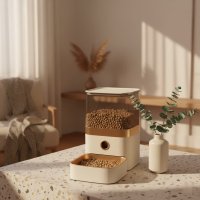
As someone who’s spent over 15 years knee-deep in the world of pet feeders, I can tell you that the right automated system can be a game-changer for both pets and their devoted owners. Here at MJ’s Food Club, we’ve seen countless innovations, and the Roffie pet feeder, particularly the PF30 model, consistently stands out as a reliable and feature-rich option. If you’re a busy pet parent looking to ensure your furry friend receives consistent, perfectly portioned meals, you’re in the right place. We’re diving deep into everything you need to know about the Roffie automatic pet feeder, from setup to troubleshooting, ensuring you can make the most of this clever device.
What Makes the Roffie Pet Feeder Stand Out?
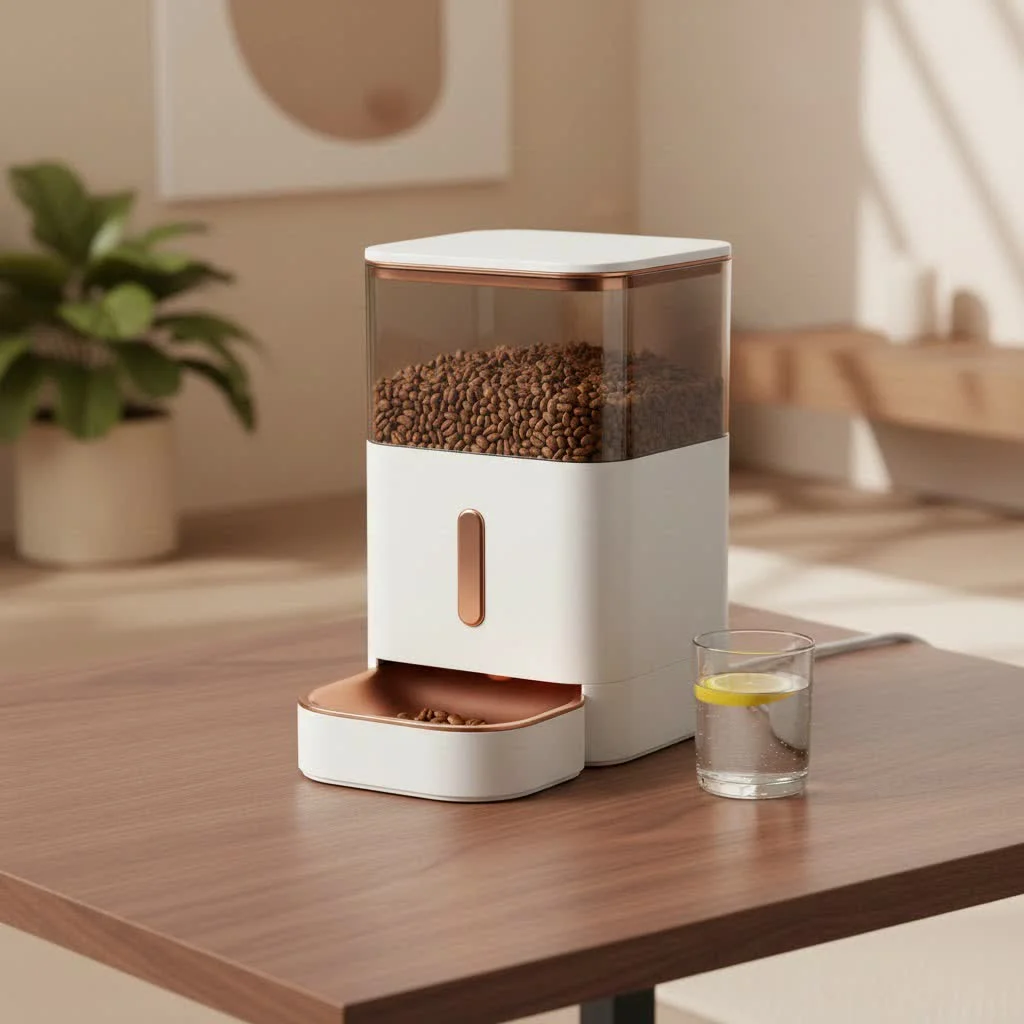
The Roffie pet feeder isn’t just another gadget; it’s a thoughtfully designed solution built to bring peace of mind and promote healthier eating habits for your pets. It’s packed with features that address common pet feeding challenges, making it a favorite in the pet tech community.
Precision Feeding: Portion Control and Scheduling
One of the cornerstones of responsible pet ownership is providing consistent nutrition, and the Roffie PF30 excels here. You can program up to four meals a day, tailoring the feeding schedule to your pet’s specific needs, whether they thrive on a strict routine or require multiple small meals throughout the day. Each meal can be precisely portioned from 1 to 39 “pieces” of kibble, allowing for fine-tuned control over your pet’s caloric intake.
What truly sets the Roffie apart in this regard is its versatility with kibble. It comes with two different dispensing mechanisms: a larger one pre-installed for standard dog kibble and a smaller one you can easily swap in for tiny kibble, such as cat food or even rabbit pellets. This adaptability means you can accurately dispense meals ranging from 5 grams up to a hefty 309 grams per serving, minimizing overfeeding and helping maintain a healthy weight. With its generous 7-liter (approximately 29 cups) food hopper, you won’t be constantly refilling it, often lasting days or even weeks depending on your pet’s appetite.
Dual Power Reliability: Never Miss a Meal
Let’s face it, power outages happen, and the last thing you want is for your pet to miss a meal. The Roffie pet feeder addresses this concern with a smart dual power supply system. It operates primarily via a USB power adapter (a UK adapter is often included, so check your region for compatibility). However, for ultimate peace of mind, it also has a battery compartment for three D-sized batteries. In the event of a power cut, the feeder seamlessly switches to battery power, ensuring your pet’s feeding schedule remains uninterrupted. Plus, a handy low battery warning indicator on the LCD screen lets you know when it’s time for a battery refresh.
Personal Touch: The Voice Recorder Feature
|
Our Picks for the Best Pet Feeder in 2026
As an Amazon Associate I earn from qualifying purchases.
|
||
| Num | Product | Action |
|---|---|---|
| 1 | VOLUAS Automatic Cat Feeders - Timed Pet Feeder for Cats and Dogs with Dry Food Dispenser, Desiccant Bag, Programmable Portion Control, 4 Daily Meals, 10s Voice Recorder |

|
| 2 | Amazon Basics Automatic Dog Cat Water Dispenser Gravity Feeder Set, Pack of 2, Small, 6-Pound Food Capacity, 1-Gallon, Gray |
|
| 3 | oneisall Automatic Cat Feeder for 2 Cats, 20 Cups/5L Automatic Cat Food Dispenser for Small Pets Indoor, Timed Cat Feeder for Dry Food |
|
| 4 | IMIPAW Automatic Cat Feeders, 3L Timed Cat Dry Food Dispenser with Desiccant Bags, Dual Power Supply, Programmable Portion Size, 6 Meals, 20 Portions Per Day, Auto Pet Feeder for Cats and Small Dogs |
|
| 5 | Sure Petcare -SureFlap - SureFeed - Microchip Pet Feeder - Selective-Automatic Pet Feeder Makes Meal Times Stress-Free, Suitable for Both Wet and Dry Food - MPF001 |
|
| 6 | Automatic Cat Feeder, 4L Cat Food Dispenser with 10s Voice Recorder, Pet Feeder up to 8 Meals per Day, Timed Dog Feeder with Dry Food Sealed Ring (White, 4L-Basic) |
|
| 7 | PETLIBRO Automatic Cat Feeder with Camera, 1080P HD Video with Night Vision, 5G WiFi Pet Feeder with 2-Way Audio, Low Food & Blockage Sensor, Motion & Sound Alerts for Cat & Dog Single Tray |
|
| 8 | PETLIBRO Automatic Cat Feeder, 5G WiFi Automatic Dog Food Dispenser with Freshness Preservation, 5L Timed Pet Feeder with Low Food Sensor, Up to 10 Meals Per Day, Granary Black |
|
| 9 | Pet Food Maker, Automatic Home Kitchen Appliance for Preparing Fresh Pet Meals |
|
| 10 | PETLIBRO Automatic Cat Feeder – 3L Programmable Pet Food Dispenser with Airtight Storage, Timed Portion Control, Voice Meal Call & Dual Power Supply, Clog-Free Healthy Feeding for Cats & Small Dogs |
|
Imagine your pet hearing your familiar voice calling them for dinner, even when you’re not home! The Roffie pet feeder includes a 10-second voice recorder, allowing you to customize a personal mealtime message. While some pets might initially be a little startled by a disembodied voice, most quickly associate it with the joyous arrival of food. As Mark Johnson, our lead Pet Tech Engineer at MJ’s Food Club often says, “That little voice message can be the bridge between an automatic dispenser and a truly personalized feeding experience for your beloved pet.”
User-Friendly Design & Robust Build
From the moment you unbox it, you’ll notice the Roffie pet feeder’s practical design. It features a clear, monochrome LCD display that makes programming straightforward. The food hopper and control panel are protected by a transparent lid with a clever anti-tamper, two-handed lock. This means even the most determined (or clumsy) pets will have a tough time prying it open and free-feeding themselves. The entire unit feels well-constructed, designed to withstand daily use, and the removable food tray makes cleaning a breeze—a critical factor for pet hygiene.
Setting Up Your Roffie Pet Feeder: A Step-by-Step Guide
Getting your Roffie pet feeder up and running is surprisingly simple. With a bit of careful attention to detail, you’ll have it perfectly calibrated for your pet in no time.
Unboxing and Initial Assembly
First things first, open the box. You’ll find the main feeder unit, the standard food dispenser, a smaller food dispenser, the USB cable, power adapter, a food tray, and the user guide.
- Insert the Food Tray: The food tray simply slides into the base of the unit where the food dispenses.
- Choose Your Dispenser: The feeder usually comes with the larger food dispenser pre-installed. If your pet eats smaller kibble (like most cats or small dogs), you’ll want to switch to the smaller dispenser. This involves unscrewing a few screws on the bottom of the container to remove the larger dispenser and install the smaller one. Don’t skip this step if your kibble is small, or you might end up with unexpected portion sizes!
Powering On and Setting the Time
The Roffie feeder offers flexibility in how you power it.
- Connect Power: Plug in the USB cable to the feeder and then into the power adapter, and finally into a wall outlet. Alternatively, insert three D-sized batteries into the compartment on the base. It’s always a good idea to use both for backup.
- Set the Clock: Once powered on, the LCD will display. To set the time, typically you’ll press and hold a “Time” button, then use arrow keys to adjust the hour and minute, paying close attention to AM/PM. Release the button when done.
Programming Meal Times and Portion Sizes
This is where the magic happens and where precision is key.
- Select Meal Slots: The Roffie allows for up to four meals (Meal 1, Meal 2, Meal 3, Meal 4). You can activate or deactivate each meal slot.
- Set Meal Times: For each active meal, select the desired feeding time using the clock adjustment buttons.
- Define Portion Sizes: This is crucial. For each meal, you can set the portion size from 1 to 39 “pieces.” This might require a little trial and error. Start by consulting the manual’s guide on grams per “piece” for your chosen dispenser. Then, dispense a few manual portions (usually by holding a “Manual Feed” button) and measure them to ensure it aligns with your pet’s dietary needs. Remember, a smaller kibble will mean more pieces per gram, so adjust accordingly!
- Save Settings: Always ensure you save your programmed schedule, often by releasing the button or a final confirmation press.
Recording Your Custom Meal Call
This fun feature adds a personal touch to your pet’s feeding routine.
- Activate Recorder: Locate the “Mic” or “Record” button on the control panel.
- Record Message: Press and hold the button, then speak your 10-second message clearly into the microphone. Release the button when finished.
- Test Playback: There’s usually a “Play” button to listen to your recording. Adjust as needed!
Troubleshooting Common Roffie Pet Feeder Issues
Even the most reliable tech can have its hiccups. Don’t fret if your Roffie pet feeder isn’t performing as expected; many issues have simple solutions.
Food Jamming: Prevention and Fixes
Food jams are perhaps the most common frustration with automatic feeders, but they’re often preventable.
- Kibble Size Matters: The primary cause of jamming is using kibble that’s either too large, too small, or irregularly shaped for the installed dispenser. Ensure you’ve installed the correct dispenser for your pet’s food. For example, some small, flat kibble shapes can clump together.
- Avoid Overfilling: Overfilling the hopper can put excessive pressure on the dispensing mechanism, increasing the likelihood of jams.
- Regular Cleaning: Food residue, dust, or broken kibble bits can accumulate in the dispensing pathway. “A quick weekly clean of the feeder’s internal components can prevent most jamming woes and keep things running smoothly,” advises Dr. Amelia Thorne, DVM, a veterinary nutritionist. Turn off and unplug the feeder, remove all food, disassemble accessible parts, and use a dry brush or compressed air to clear any blockages.
Inaccurate Feeding Times or Portions
If your pet is getting food at the wrong time or in incorrect amounts, check these settings:
- Incorrect Clock Settings: After power outages or battery changes, the internal clock might reset or drift. Double-check the time, including AM/PM.
- Programming Errors: It’s easy to accidentally set a meal for AM instead of PM, or to miss a step when saving your schedule. Delete existing schedules and reprogram them carefully, verifying each entry.
Power and Battery Concerns
Sometimes the simplest issues are power-related.
- Check Power Source: Ensure the USB cable is securely plugged in at both ends and into a working outlet.
- Inspect Batteries: If using battery backup, check that the D-sized batteries are correctly inserted, not corroded, and have sufficient charge. Replace them if necessary. The low battery indicator is there to help!
Maintaining Your Roffie Feeder for Longevity
Like any appliance, your Roffie pet feeder benefits from regular maintenance to ensure optimal performance and hygiene.
- Consistent Cleaning Routine: Aim to clean the food hopper, dispenser mechanism, and food tray every one to two weeks. This prevents grease buildup, bacterial growth, and keeps the food fresh. Most components are removable and can be hand-washed with mild soap and water, ensuring they are completely dry before reassembly.
- Kibble Suitability: Beyond just preventing jams, using the right type and size of dry kibble for your feeder helps maintain its internal components. Avoid wet or semi-moist foods, as these feeders are designed exclusively for dry kibble.
Is the Roffie Pet Feeder Right for Your Furry Friend?
The Roffie pet feeder is an excellent solution for a wide range of pets and pet owners.
- For Dogs and Cats: Its adjustable portion sizes and dual kibble dispensers make it suitable for both cats and dogs, from tiny kittens to larger breeds.
- For Small Animals: The ability to dispense very small portions (as little as 5g) also makes it a viable option for small pets like rabbits, helping manage their pellet intake.
- For Weight Management: By automating precise portions, the Roffie feeder can be a powerful tool in preventing overfeeding and managing your pet’s weight, contributing to their overall health.
- For Busy Lifestyles: Whether you work long hours, travel frequently, or simply want to reclaim a few minutes in your morning, the Roffie provides unparalleled convenience, ensuring your pet is fed on time, every time.
Conclusion
The Roffie pet feeder is more than just an automatic dispenser; it’s a commitment to your pet’s well-being and a significant convenience for your busy life. With its thoughtful design, precise portion control, reliable dual power, and engaging voice recording feature, it offers a robust solution for automated feeding. By understanding its capabilities, setting it up correctly, and performing simple maintenance, you’ll unlock the full potential of this fantastic device, ensuring your furry family members enjoy healthy, regular meals, day in and day out. Invest in a Roffie pet feeder, and you’re investing in peace of mind and a happier, healthier pet.
Frequently Asked Questions (FAQ)
Q1: How many meals can the Roffie pet feeder dispense per day?
A1: The Roffie pet feeder can be programmed to dispense up to four distinct meals per day, allowing you to set specific times for breakfast, lunch, dinner, and even a late-night snack for your pet.
Q2: Can I use the Roffie pet feeder for both cats and dogs?
A2: Yes, absolutely! The Roffie pet feeder is designed for both cats and dogs. It includes two interchangeable food dispensers, allowing you to optimize portion delivery for various kibble sizes, from small cat pellets to larger dog food.
Q3: What happens if the power goes out while the Roffie feeder is operating?
A3: The Roffie pet feeder features a dual power supply. It runs on a USB power adapter but also has a battery backup option (using three D-sized batteries). If the main power is interrupted, the feeder will automatically switch to battery power, ensuring your pet doesn’t miss a meal.
Q4: How do I clean my Roffie automatic pet feeder?
A4: For optimal hygiene and performance, you should clean your Roffie feeder every one to two weeks. Disassemble the removable parts, such as the food hopper and feeding tray, and wash them with mild soap and water. Ensure all components are thoroughly dry before reassembling.
Q5: Can I record a custom voice message with the Roffie feeder?
A5: Yes, the Roffie pet feeder includes a 10-second voice recorder feature. You can record a personalized message to call your pet to their meals, adding a familiar and comforting touch to their feeding routine.
Q6: Why is my Roffie pet feeder jamming?
A6: Food jamming is often caused by using incompatible kibble sizes, overfilling the hopper, or accumulation of food residue. Ensure you’re using the correct dispenser for your kibble and perform regular cleaning of the dispensing mechanism.
Q7: What is the capacity of the Roffie pet feeder’s food hopper?
A7: The Roffie pet feeder comes with a substantial 7-liter (approximately 29 cups) food hopper. This large capacity allows for extended periods between refills, which is ideal for busy owners or when you’re away for a few days.
Smart home that does not lock you in
Free PDF — protocol compatibility matrix for 30 hubs and devices.