The Arf Pets automatic pet feeder is a reliable solution for consistent pet nutrition, featuring an 18-cup capacity, up to four daily programmable meals, and precise portion control from 1 to 10 units (approximately 2 tablespoons each). It includes a 10-second voice recorder and a dual power supply with AC and ‘D’ battery backup, ensuring meals are never missed. This feeder is ideal for busy pet owners seeking to manage their pet’s diet effectively and provide peace of mind.
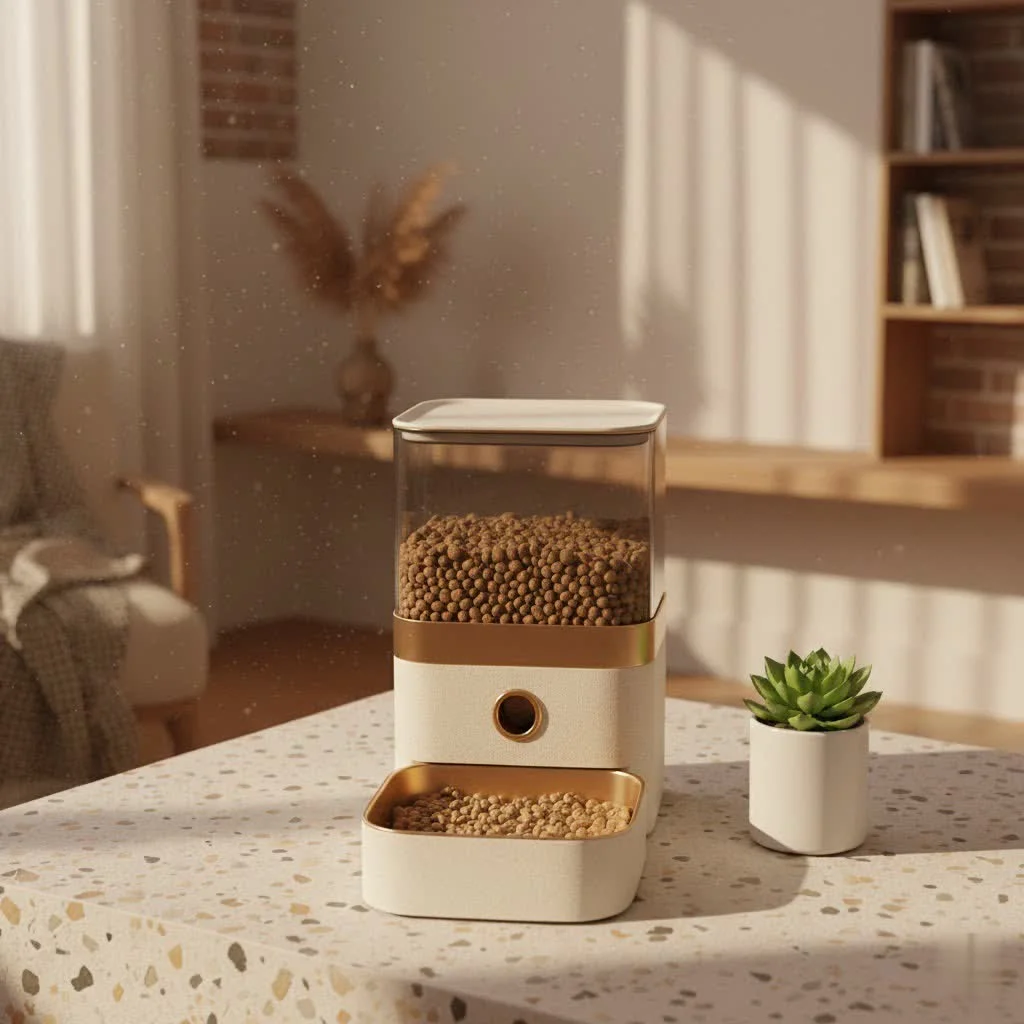
At MJ’s Food Club, we empower pet parents with knowledge to make the best choices. This comprehensive guide covers everything about the Arf Pets automatic pet feeder, from its features and setup to troubleshooting and maximizing its lifespan. Let’s make pet feeding smarter, together!
What Makes the Arf Pets Automatic Pet Feeder Stand Out?
The Arf Pets automatic pet feeder is engineered with features that cater to modern pet owners and their furry friends. Understanding these aspects is key to appreciating its value:
- Generous Capacity: With an 18-cup food hopper, this feeder significantly reduces refill frequency, making it ideal for multi-pet households or extended absences.
- Flexible Meal Programming: You can schedule up to four meals per day, allowing you to tailor your pet’s feeding routine precisely to their dietary needs and your schedule. This consistency is vital for digestion and overall health.
- Precision Portion Control: The feeder offers adjustable portion sizes from 1 to 10 units. Each unit is approximately 2 tablespoons (24ml or 1/8 cup), giving you granular control over how much your pet eats at each meal. This is crucial for managing weight and preventing overfeeding.
- Personalized Voice Recorder: Imagine calling your pet to dinner even when you’re not home! The Arf Pets feeder allows you to record a custom 10-second message that plays three times when food is dispensed, adding a comforting, familiar touch to mealtime.
- Reliable Dual Power Supply: The unit operates on a DC power adapter but also features a backup battery option using three ‘D’ batteries (not included). This dual power ensures your pet never misses a meal, even during unexpected power outages.
- Secure Magnetic Locking Lid: Pet parents often worry about clever paws getting into the food supply. The magnetic locking lid on the Arf Pets automatic pet feeder provides a secure barrier, keeping food fresh and preventing unauthorized snacking.
- User-Friendly LCD Display: The blue light-up LCD display makes programming and checking settings a breeze, even in dimly lit environments. The 24-hour military time format is straightforward once you get the hang of it.
“The true value of an Arf Pets automatic pet feeder lies in its ability to offer consistent nutrition while adapting to the dynamic lifestyles of pet owners,” says Michael J. Stewart, founder of MJ’s Food Club. “It bridges the gap between our busy schedules and our pets’ needs for routine.”
Setting Up Your Arf Pets Automatic Pet Feeder: A Step-by-Step Guide
Getting your Arf Pets automatic pet feeder up and running is simpler than you might think. Follow these steps for a smooth setup:
Power Supply: AC vs. Batteries
|
Our Picks for the Best Pet Feeder in 2026
As an Amazon Associate I earn from qualifying purchases.
|
||
| Num | Product | Action |
|---|---|---|
| 1 | Pet Food Maker, Automatic Home Kitchen Appliance for Preparing Fresh Pet Meals |

|
| 2 | Sure Petcare -SureFlap - SureFeed - Microchip Pet Feeder - Selective-Automatic Pet Feeder Makes Meal Times Stress-Free, Suitable for Both Wet and Dry Food - MPF001 |
|
| 3 | Amazon Basics Automatic Dog Cat Water Dispenser Gravity Feeder Set, Pack of 2, Small, 6-Pound Food Capacity, 1-Gallon, Gray |
|
| 4 | PETLIBRO Automatic Cat Feeder with Camera, 1080P HD Video with Night Vision, 5G WiFi Pet Feeder with 2-Way Audio, Low Food & Blockage Sensor, Motion & Sound Alerts for Cat & Dog Single Tray |
|
| 5 | VOLUAS Automatic Cat Feeders - Timed Pet Feeder for Cats and Dogs with Dry Food Dispenser, Desiccant Bag, Programmable Portion Control, 4 Daily Meals, 10s Voice Recorder |
|
| 6 | PETLIBRO Automatic Cat Feeder, 5G WiFi Automatic Dog Food Dispenser with Freshness Preservation, 5L Timed Pet Feeder with Low Food Sensor, Up to 10 Meals Per Day, Granary Black |
|
| 7 | IMIPAW Automatic Cat Feeders, 3L Timed Cat Dry Food Dispenser with Desiccant Bags, Dual Power Supply, Programmable Portion Size, 6 Meals, 20 Portions Per Day, Auto Pet Feeder for Cats and Small Dogs |
|
| 8 | Automatic Cat Feeder, 4L Cat Food Dispenser with 10s Voice Recorder, Pet Feeder up to 8 Meals per Day, Timed Dog Feeder with Dry Food Sealed Ring (White, 4L-Basic) |
|
| 9 | oneisall Automatic Cat Feeder for 2 Cats, 20 Cups/5L Automatic Cat Food Dispenser for Small Pets Indoor, Timed Cat Feeder for Dry Food |
|
| 10 | PETLIBRO Automatic Cat Feeder – 3L Programmable Pet Food Dispenser with Airtight Storage, Timed Portion Control, Voice Meal Call & Dual Power Supply, Clog-Free Healthy Feeding for Cats & Small Dogs |
|
First, decide how you’ll power your feeder. Connect the DC power cable to the feeder’s input port and plug it into a wall outlet for primary power. For an essential backup, insert three ‘D’ batteries into the designated compartment. Using both ensures uninterrupted feeding, a critical feature for any reliable pet feeder.
Filling the Hopper: Dry Kibble Only!
Press the lid release button to open the top cover. Pour only dry kibble into the food hopper. It’s crucial to avoid wet food, semi-moist food, or kibble with soft chunks, as these can easily jam the dispensing mechanism. Round-shaped kibble generally performs best with the Arf Pets feeder.
Attaching the Feeding Bowl
Slide the feeding bowl into its slot at the base of the feeder until you hear a secure click. This ensures it’s stable and ready to catch the dispensed food.
Setting the Clock
The Arf Pets automatic pet feeder uses a 24-hour clock. Press the ‘SET’ button to enter clock setting mode. Use the ‘+’ and ‘-‘ buttons to adjust the hour, then press ‘SET’ again to adjust the minutes. Once the correct time is displayed, press ‘SET’ one last time to save.
Programming Meal Times & Portions
The feeder allows for up to four daily meals.
- Press the ‘MEAL’ button to cycle through Meal 1, Meal 2, Meal 3, and Meal 4 settings.
- When a meal time is displayed, press ‘SET’ to adjust the hour, then minutes, using the ‘+’ and ‘-‘ buttons. Note that minutes are often set in 5-minute intervals.
- After setting the time, press ‘SET’ again to adjust the portion size. Portion sizes range from 1 to 10 units. Use ‘+’ and ‘-‘ to select the desired amount.
- Repeat this process for all desired meal times. If you don’t need a specific meal, simply set its portion size to 0.
Recording Your Voice Message
Personalize your pet’s meal experience!
- Press and hold the ‘REC’ button.
- Speak your message (up to 10 seconds).
- Release the ‘REC’ button when finished.
- You can press ‘PLAY’ to listen to your recording. Your pet will hear this message three times before each scheduled meal.
Manual Feeding
Need to give an extra snack? Simply press the ‘MANUAL’ button to dispense a single portion of food instantly.
Troubleshooting Common Arf Pets Feeder Issues
Even the most reliable Arf Pets automatic pet feeder can sometimes encounter minor issues. Here’s how to tackle the most common problems:
Food Not Dispensing
Question: My Arf Pets automatic pet feeder isn’t giving out food. What should I check first?
Answer: This is usually due to a few common culprits. Start by ensuring the food hopper isn’t empty and that the feeder is properly powered (AC adapter connected or fresh ‘D’ batteries installed). If powered, check for any kibble blockages in the dispensing mechanism. Sometimes, incorrect kibble size or shape can lead to jamming. Only use dry, appropriately sized kibble.
Inaccurate Clock/Time
Question: Why is the clock on my Arf Pets automatic pet feeder showing the wrong time?
Answer: An inaccurate clock often points to battery issues or simply needing a reset. If you’re using battery power, ensure the batteries aren’t low. Otherwise, reset the clock to the correct time by following the ‘Setting the Clock’ instructions.
Voice Message Problems
Question: My voice recording isn’t playing when the food dispenses. How can I fix this?
Answer: First, confirm that you successfully made a recording by following the recording steps and testing it with the ‘PLAY’ button. If using battery power, check the battery levels, as low batteries can affect the recording playback function. Re-record if necessary.
Food Freshness Concerns
Question: How do I ensure the food in the hopper stays fresh?
Answer: To keep your pet’s food fresh, always make sure the top lid of the Arf Pets automatic pet feeder is securely closed and latched. The magnetic locking mechanism helps create a tight seal. Also, regularly clean and dry the food hopper and feeding bowl before adding new food.
Tips for Smart Feeder App Issues (for Wi-Fi models)
Question: My Arf Pets smart feeder app isn’t updating or connecting. What should I do?
Answer: For Wi-Fi enabled Arf Pets models, connectivity issues can occur. Try restarting your Wi-Fi router, then reset the feeder’s network settings. Always ensure the feeder’s firmware is up to date, as updates often resolve connectivity bugs.
Maximizing the Life and Performance of Your Arf Pets Feeder
Proper care and usage will ensure your Arf Pets automatic pet feeder serves your furry friend for years to come.
Cleaning and Maintenance
Regular cleaning is vital. The feeding tray and food hopper are typically dishwasher safe, making cleanup convenient. For the main unit, wipe it down with a damp cloth. Ensure all parts are completely dry before reassembling and adding food to prevent clumping and mildew.
Choosing the Right Kibble
As mentioned, the Arf Pets automatic pet feeder performs best with dry, round-shaped kibble. Avoid anything moist, sticky, or with irregular chunks, which can obstruct the dispenser. Using the recommended food type drastically reduces the chance of jams and ensures consistent feeding.
Placement and Stability
Position your feeder on a level, stable surface. While the Arf Pets feeder is generally robust, some larger or more boisterous pets might be able to tip it over if it’s placed precariously or filled too high, especially if they try to “break in.” If you have a particularly energetic dog, consider placing it in a corner or against a wall to minimize movement. Some owners even consider mounting it to a sturdy base for added security.
Is the Arf Pets Automatic Pet Feeder Right for Your Furry Friend?
The Arf Pets automatic pet feeder offers undeniable benefits, but like any product, it has considerations.
Pros:
- Reliable and consistent feeding schedule.
- Large capacity reduces refill frequency.
- Precise portion control aids in diet management.
- Voice recording adds a personal touch.
- Dual power ensures peace of mind during outages.
- Secure lid prevents tampering.
- Easy to clean and maintain.
Cons:
- Only suitable for dry kibble.
- Can be top-heavy when completely full, potentially an issue for highly energetic or destructive pets if not secured.
- The programming interface, while straightforward, might take a couple of tries to master, especially with military time and 5-minute interval settings.
Consider your pet’s personality and your lifestyle. If you have a calm cat or dog, or one that benefits from strict mealtime routines, the Arf Pets automatic pet feeder is an excellent choice. For highly food-motivated or large, powerful dogs, ensure you implement proper placement and perhaps additional securing measures to prevent accidental tipping.
Frequently Asked Questions About the Arf Pets Automatic Pet Feeder
How many meals can the Arf Pets automatic pet feeder dispense daily?
The Arf Pets automatic pet feeder can be programmed to dispense up to four distinct meals per day. Each meal can be customized with its own time and portion size.
What kind of food can I use in my Arf Pets feeder?
You should only use dry kibble in your Arf Pets automatic pet feeder. Wet food, semi-moist food, or kibble with soft, irregular chunks can cause the dispensing mechanism to jam. Round kibble tends to work best.
How do I reset the clock on my Arf Pets pet feeder?
To reset the clock, press the ‘SET’ button to enter clock setting mode. Then, use the ‘+’ and ‘-‘ buttons to adjust the hour and minutes to the correct time. Press ‘SET’ again to save your changes.
Can my pet open the Arf Pets feeder lid?
The Arf Pets automatic pet feeder is designed with a magnetic locking lid that is difficult for most pets to open. This feature helps keep the food fresh and prevents unauthorized access by clever paws.
What happens if the power goes out?
The Arf Pets automatic pet feeder features a dual power supply. If you have ‘D’ batteries installed as a backup, the feeder will seamlessly switch to battery power during a power outage, ensuring your pet’s meal schedule remains uninterrupted.
How do I know if the Arf Pets feeder actually dispensed food?
You can confirm food dispensing in several ways: visually check the bowl, listen for the distinct mechanical sound of the motor, and observe your pet’s behavior (a satisfied pet lounging nearby is a good sign!). For smart models, check the app’s dispense history.
Empowering Your Pet’s Nutrition Journey
The Arf Pets automatic pet feeder is a powerful tool for modern pet parenting, offering consistency, convenience, and control over your pet’s diet. By understanding its features, mastering its setup, and knowing how to troubleshoot, you can provide your furry friend with a stable, healthy feeding routine. a well-fed pet is a happy pet, and the peace of mind an Arf Pets automatic pet feeder brings is truly invaluable. For more expert tips and insights into pet care technology, keep visiting MJ’s Food Club – your trusted partner in smart pet ownership.
Frequently Asked Questions
How many meals can the Arf Pets automatic pet feeder dispense daily?
The Arf Pets automatic pet feeder can be programmed to dispense up to four distinct meals per day. Each meal can be customized with its own time and portion size, offering flexibility for your pet's dietary needs.
What kind of food is compatible with the Arf Pets feeder?
You should only use dry kibble in your Arf Pets automatic pet feeder. Wet food, semi-moist food, or kibble with soft, irregular chunks can cause the dispensing mechanism to jam. Round kibble tends to work best for optimal performance.
How do I reset the clock on my Arf Pets pet feeder?
To reset the clock on your Arf Pets pet feeder, press the 'SET' button to enter clock setting mode. Then, use the '+' and '-' buttons to adjust the hour and minutes to the correct 24-hour time. Press 'SET' again to save your changes.
Can my pet open the Arf Pets automatic feeder lid?
The Arf Pets automatic pet feeder is designed with a secure magnetic locking lid that is difficult for most pets to open. This feature helps keep the food fresh and prevents unauthorized access by clever paws, ensuring food safety.
What happens to the Arf Pets feeder during a power outage?
The Arf Pets automatic pet feeder features a dual power supply. If you have three 'D' batteries installed as a backup, the feeder will seamlessly switch to battery power during a power outage, ensuring your pet's meal schedule remains uninterrupted.
How can I confirm if the Arf Pets feeder has dispensed food?
You can confirm food dispensing in several ways: visually check the bowl, listen for the distinct mechanical sound of the motor, and observe your pet's behavior. For smart models, you can also check the app's dispense history for confirmation.
Setting Up Your Arf Pets Automatic Pet Feeder
Follow these steps to quickly set up and program your Arf Pets automatic pet feeder for consistent and convenient pet feeding.
Connect the DC power cable to the feeder's input port and plug it into a wall outlet. For backup, insert three 'D' batteries into the compartment. This dual power ensures uninterrupted feeding.
Press the lid release button to open the top cover and pour only dry kibble into the food hopper. Avoid wet or semi-moist food, as these can jam the dispensing mechanism. Round-shaped kibble works best.
Slide the feeding bowl into its slot at the base of the feeder until you hear a secure click. This ensures the bowl is stable and properly positioned to catch dispensed food.
Press the 'SET' button to enter clock setting mode. Use the '+' and '-' buttons to adjust the hour and minutes in 24-hour format. Press 'SET' one last time to save the correct time.
Press the 'MEAL' button to cycle through up to four meal settings. Use 'SET' and the '+' and '-' buttons to adjust the time and portion size (1-10 units) for each meal. Set portion size to 0 for unused meals.
The Arf Pets feeder does what it says, but I found the portion control a bit tricky to get just right. The ‘1 to 10 units’ system, with each unit being about 2 tablespoons, took some trial and error to figure out for my small dog’s diet. It works now, but the initial setup was a little frustrating. Otherwise, it’s a reliable feeder.
I’ve been using the Arf Pets feeder for a few weeks now and it’s been a game-changer. The 18-cup capacity means I’m not refilling it constantly, which is great for my busy schedule. My cat, Mittens, used to wake me up super early for food, but now she’s perfectly content waiting for her scheduled meals. The portion control is also fantastic for managing her weight.
This feeder is pretty solid. I really appreciate the dual power supply feature; knowing that the ‘D’ battery backup will kick in if the power goes out gives me real peace of mind. Setting up the four daily programmable meals was straightforward, and my dog responds well to the recorded voice message. It’s definitely helped us stick to a consistent feeding routine.
I travel a lot for work, and this automatic feeder has been a lifesaver. The 10-second voice recorder is such a nice touch; my dog gets excited when he hears my voice, even when I’m not home. It’s super easy to clean too, which is a big plus. Highly recommend for anyone who needs consistent feeding for their pets.