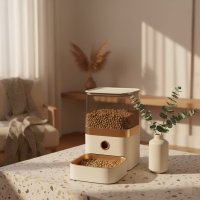
Hey there, fellow pet parents! As someone who’s spent over 15 years knee-deep in the world of pet feeders, and as a proud content creator for MJ’s Food Club, I’ve seen countless innovations come and go. But every now and then, a product truly stands out, making our lives easier and our furry friends happier. Today, we’re diving deep into one such gem: the Aqara Smart Pet Feeder C1. If you’ve ever worried about missing a mealtime, or simply want to elevate your pet care routine, you’re in for a treat. This device isn’t just a feeder; it’s a game-changer for modern pet owners seeking convenience, reliability, and seamless integration into their smart home ecosystem.
What is the Aqara Smart Pet Feeder C1?
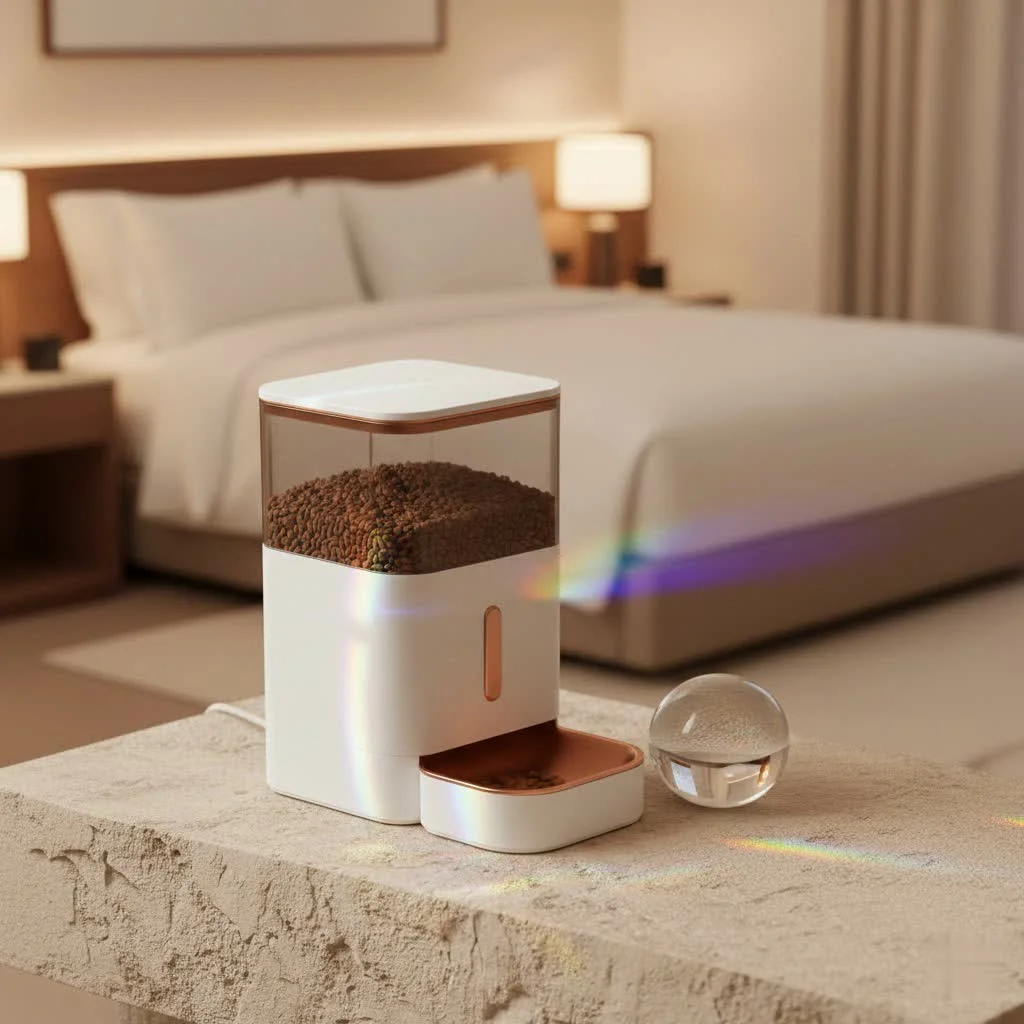
At its heart, the Aqara Smart Pet Feeder C1 is a meticulously designed automatic feeder crafted to ensure your beloved cats and small to medium-sized dogs are well-fed and cared for, even when you’re not around. Think of it as your pet’s personal chef, always on time, always serving the right portion. It brings the precision of smart technology right into your pet’s mealtime, taking the guesswork and worry out of daily feeding. From managing specific dietary needs to simply providing peace of mind during a busy workday or a weekend getaway, the C1 aims to simplify pet nutrition with an intelligent touch.
Key Features That Make the C1 Stand Out
The Aqara Smart Pet Feeder C1 isn’t just another gadget; it’s packed with thoughtful features designed to make life easier for both you and your pet.
Smart Scheduling & Remote Feeding
Life gets busy, right? The C1 understands that. With the Aqara Home app, you gain complete control over your pet’s meals, no matter where you are. Imagine being stuck in traffic or enjoying a well-deserved vacation, and still being able to dispense a meal with a tap on your phone. Beyond immediate feeding, the true magic lies in its customizable feeding plans. You can set up personalized schedules, dictating precise portion sizes and feeding times. This isn’t just about convenience; it’s crucial for maintaining a healthy diet, especially for pets on a weight management program or those with specific health needs. The app even logs feeding statistics in grams, giving you a clear picture of your pet’s daily intake.
Robust Smart Home Integration
Here’s where the Aqara Smart Pet Feeder C1 truly shines for tech-savvy pet parents. Built on the highly reliable Zigbee 3.0 protocol, the C1 seamlessly integrates into the broader Aqara ecosystem. This means you can create complex automations with other Aqara devices, like having an Aqara G3 camera activate when food is dispensed, so you can watch your pet enjoy their meal.
“The C1’s ability to act as a Zigbee router significantly strengthens your entire smart home network,” notes Emily Chen, a smart home integration specialist. “It’s not just a feeder; it’s an active participant in building a more robust and responsive system.”
Beyond Aqara Home, it plays nicely with major platforms like HomeKit (requiring an Aqara Hub M1S for full support), Google Assistant, and Amazon Alexa. You can even use voice commands to dispense food or check on feeding schedules. For the truly adventurous, it also integrates with Home Assistant, allowing for even more intricate custom routines and scenarios. Just remember, for these advanced smart features, an Aqara Hub (such as the M1S or G3 Camera Hub) is essential to connect the C1 to your smart home network.
Designed for Reliability: Dual Power & Fresh Food
|
Our Picks for the Best Pet Feeder in 2026
As an Amazon Associate I earn from qualifying purchases.
|
||
| Num | Product | Action |
|---|---|---|
| 1 | PETLIBRO Automatic Cat Feeder – 3L Programmable Pet Food Dispenser with Airtight Storage, Timed Portion Control, Voice Meal Call & Dual Power Supply, Clog-Free Healthy Feeding for Cats & Small Dogs |

|
| 2 | oneisall Automatic Cat Feeder for 2 Cats, 20 Cups/5L Automatic Cat Food Dispenser for Small Pets Indoor, Timed Cat Feeder for Dry Food |
|
| 3 | PETLIBRO Automatic Cat Feeder, 5G WiFi Automatic Dog Food Dispenser with Freshness Preservation, 5L Timed Pet Feeder with Low Food Sensor, Up to 10 Meals Per Day, Granary Black |
|
| 4 | Sure Petcare -SureFlap - SureFeed - Microchip Pet Feeder - Selective-Automatic Pet Feeder Makes Meal Times Stress-Free, Suitable for Both Wet and Dry Food - MPF001 |
|
| 5 | VOLUAS Automatic Cat Feeders - Timed Pet Feeder for Cats and Dogs with Dry Food Dispenser, Desiccant Bag, Programmable Portion Control, 4 Daily Meals, 10s Voice Recorder |
|
| 6 | Automatic Cat Feeder, 4L Cat Food Dispenser with 10s Voice Recorder, Pet Feeder up to 8 Meals per Day, Timed Dog Feeder with Dry Food Sealed Ring (White, 4L-Basic) |
|
| 7 | Pet Food Maker, Automatic Home Kitchen Appliance for Preparing Fresh Pet Meals |
|
| 8 | Amazon Basics Automatic Dog Cat Water Dispenser Gravity Feeder Set, Pack of 2, Small, 6-Pound Food Capacity, 1-Gallon, Gray |
|
| 9 | IMIPAW Automatic Cat Feeders, 3L Timed Cat Dry Food Dispenser with Desiccant Bags, Dual Power Supply, Programmable Portion Size, 6 Meals, 20 Portions Per Day, Auto Pet Feeder for Cats and Small Dogs |
|
| 10 | PETLIBRO Automatic Cat Feeder with Camera, 1080P HD Video with Night Vision, 5G WiFi Pet Feeder with 2-Way Audio, Low Food & Blockage Sensor, Motion & Sound Alerts for Cat & Dog Single Tray |
|
Reliability is paramount when it comes to feeding our pets. The C1 addresses this with its dual powering options. While it typically runs on USB-A power (do note, you’ll need to supply your own USB power brick), it also boasts a crucial battery backup compartment, accommodating three D-Type (LR20) batteries. The standout feature? Unlike many other feeders, the C1 maintains its smart connectivity even when running on battery power, ensuring your pet is fed and you remain in control during unexpected power outages.
The large 4-liter (approximately 16 cups or 3.75 lbs / 1.7 kg) food hopper is generous, minimizing the need for frequent refills. But it’s not just about capacity; it’s about freshness. The transparent hopper allows you to easily monitor food levels, and a thoughtful desiccant holder on top helps keep the dry kibble moisture-free and fresh for longer. Plus, a tight seal on the lid ensures that food stays crisp and delicious.
Engaging Features for Your Pet
The C1 adds a personal touch with its built-in microphone. You can record a short, personalized voice message (think “Come get your food, Fido!”) that plays when mealtime arrives. While some users note the speaker isn’t incredibly loud and can sound a bit robotic, it’s generally sufficient to grab your pet’s attention, especially once they associate the sound with food. This small detail can be particularly comforting for pets who get anxious when left alone, offering a familiar voice during feeding.
Thoughtful Design for Daily Use
From its sleek, modern aesthetic to its practical build, the C1 is designed with everyday use in mind. It operates with remarkable quietness, ensuring your pet isn’t startled by noisy food dispensing. Disassembly for cleaning is a breeze, with easy-release clips for the food hopper and a removable metal food bowl, promoting better hygiene. The front panel features three physical buttons for manual feeding, voice recording, and resetting the device. For households with curious pets or children, you can even disable the manual feed button via the Aqara app, preventing any unscheduled snack times! An indicator light provides status updates, which can also be turned off if preferred.
Setting Up Your Aqara Smart Pet Feeder C1: A Step-by-Step Guide
Getting your Aqara Smart Pet Feeder C1 up and running is straightforward, but a few key steps will ensure a smooth experience.
- Unboxing and Assembly: Inside the box, you’ll find the main feeder unit, a metal food bowl, a USB-A power cable, and a manual. Remember, no power brick is included, so grab any spare USB charger (5V1A works perfectly) you have lying around. Attach the metal bowl to the front of the feeder.
- Power Up: Connect the USB-A cable to the coaxial port on the back of the C1 and plug it into your power brick. If you plan to use the battery backup, install three D-Type (LR20) batteries in the compartment on the underside.
- Fill the Hopper: Lift the top lid, insert the desiccant pack into its holder, and pour in your pet’s favorite dry kibble. Ensure the lid is securely replaced to maintain freshness.
- Pair with Aqara Hub: Open the Aqara Home app on your smartphone. Follow the in-app instructions to add a new device. You’ll typically press and hold the reset button on the feeder until the status light blinks, indicating pairing mode. The C1 will then connect to your existing Aqara Hub (e.g., M2, M1S, G3 Camera Hub).
- Configure in App: Once paired, you can customize your feeding schedules. Set the number of meals per day, the exact times, and the portion size (which can be calibrated in grams based on your pet’s food).
- Record a Voice Message: Tap the “Voice Record” button in the app or on the device, record your short message, and save it. This will play automatically during scheduled feedings.
Maximizing Your C1 Experience with Smart Automations
This is where the true “smart” aspect of the Aqara Smart Pet Feeder C1 comes to life. Leveraging the Aqara Home app, you can create powerful automations that go beyond simple scheduling.
- Mealtime Monitoring: Combine your C1 with an Aqara G3 Camera Hub. Set up an automation so that when food is dispensed, the G3 camera automatically records a short clip or sends you a notification, allowing you to visually confirm your pet is eating.
- “Hunger Alert” Scenes: While the C1 doesn’t directly tell you when the tank is empty, you can get creative. If you have an Aqara Motion Sensor near the feeder, you could set an automation that, if the sensor detects no activity around the feeder for an unusual period after a scheduled meal (implying the pet hasn’t eaten, perhaps due to an empty feeder or other issue), it sends you an alert. This requires some creative setup but demonstrates the flexibility.
- Smart Lighting Integration: If your pet eats in a dimly lit area, set an automation to turn on an Aqara Smart Light Bulb or LED Strip when a meal is scheduled, ensuring they can clearly see their food.
Maintenance & Troubleshooting Common C1 Issues
Even the most reliable devices need a little TLC. Here’s how to keep your Aqara Smart Pet Feeder C1 running smoothly and tackle common hiccups.
Cleaning Your Feeder
Regular cleaning is vital for your pet’s health. The C1’s design makes this relatively easy:
- Unplug and Disassemble: Always unplug the feeder first. Remove the food hopper by pinching the side release nubs, and detach the metal food bowl from its plastic holder.
- Wash Components: Wash the metal bowl, the plastic bowl holder, and the food hopper with warm, soapy water. Rinse thoroughly to remove all soap residue.
- Clean Main Unit: Wipe down the main unit’s exterior with a damp cloth. Do not submerge the main unit in water, as it contains electronics.
- Dry Completely: Ensure all parts are completely dry before reassembling. Moisture can lead to mold or damage the kibble.
Troubleshooting Tips
- Food Not Dispensing:
- Check for power: Is the feeder plugged in, or are the backup batteries working?
- Is the hopper empty?
- Check for clogs: Sometimes kibble can get jammed. Ensure the food type and size are appropriate for the feeder (dry kibble only, not too large). Gently shake the unit or use a utensil to dislodge any blockages.
- Verify app schedule: Is the feeding schedule correctly set in the Aqara Home app?
- Feeder Offline/Not Connecting:
- Ensure your Aqara Hub is powered on and connected to your network.
- Check the distance between the C1 and your Aqara Hub. As a Zigbee device, it needs to be within range of the hub or another Zigbee router. Remember, the C1 itself acts as a router, which is great for network stability, but it still needs an initial connection point.
- Try restarting both the C1 (unplug and replug) and your Aqara Hub.
- If issues persist, try re-pairing the C1 with your Aqara Hub.
- Voice Recording Too Quiet/Robotic: This is a known characteristic. Ensure the environment is quiet when recording your message. While it might not be crystal clear, its purpose is to simply alert your pet to mealtime.
Is the Aqara Smart Pet Feeder C1 Right for You?
Choosing a smart pet feeder is a personal decision, but the Aqara Smart Pet Feeder C1 offers a compelling package.
Pros:
- Unmatched Convenience: Remote feeding and precise scheduling free you from mealtime worries.
- Excellent Smart Home Integration: Works seamlessly within the Aqara ecosystem and with major smart platforms.
- Reliable Dual Power: Battery backup ensures continuity during power outages, with sustained connectivity.
- Fresh Food Guarantee: Large capacity, desiccant, and tight seal keep food fresh.
- User-Friendly Design: Quiet operation, easy to clean, and intuitive app control.
- Zigbee Repeater: Actively enhances your overall Aqara smart home network stability.
Cons:
- Aqara Hub Required: This is a crucial purchase if you don’t already own one, adding to the initial cost.
- Dry Food Only: Not suitable for wet or semi-moist foods.
- No Built-in Camera: You’ll need an external camera (like the Aqara G3) for visual monitoring during feeding.
- Voice Quality: The recorded voice message can be a bit quiet and robotic.
- No “Empty Tank” Sensor: You’ll rely on the translucent hopper to visually check food levels.
If you’re a busy pet parent, a frequent traveler, or simply someone who loves the convenience of a connected home, and you already have or plan to invest in the Aqara ecosystem, the Aqara Smart Pet Feeder C1 is an outstanding choice. It’s particularly well-suited for those looking to manage pet diets, ensure consistent feeding times, and integrate pet care into a wider smart home setup.
Frequently Asked Questions
Q: Does the Aqara Smart Pet Feeder C1 require an Aqara Hub?
A: Yes, an Aqara Hub (such as the M2, M1S, or G3 Camera Hub) is essential for the Aqara Smart Pet Feeder C1 to function with its smart features, including remote control, scheduling, and integration with other smart home platforms like HomeKit, Google Home, and Alexa.
Q: What type of food can I use with the C1?
A: The Aqara Smart Pet Feeder C1 is designed exclusively for dry pet food, also known as kibble. It is not suitable for wet, semi-moist, or freeze-dried foods, as these could clog the dispensing mechanism or spoil within the hopper.
Q: How long does the battery backup last?
A: While Aqara states up to 10 years for battery life on some devices, for the feeder’s backup power, the duration depends on the quality of D-type (LR20) batteries used and how frequently the feeder dispenses meals. It’s designed to provide ample backup for typical power outages, keeping the device connected and functional for several days at minimum.
Q: Can I control the C1 with voice commands?
A: Absolutely! Once integrated with your Aqara Hub and connected to Google Assistant or Amazon Alexa (or HomeKit via Siri with an M1S Hub), you can use voice commands to manually dispense food or inquire about feeding status.
Q: How often should I clean my Aqara C1 feeder?
A: For optimal hygiene and to prevent food spoilage, it’s recommended to clean the removable parts (hopper and bowl) of your Aqara Smart Pet Feeder C1 at least once a month, or more frequently if you notice any residue or if you’re changing food types. Always ensure all parts are completely dry before reassembly.
Final Thoughts: A Smarter Way to Feed
The Aqara Smart Pet Feeder C1 genuinely delivers on its promise of making pet care simpler and smarter. As someone who’s seen the evolution of pet technology, I can confidently say this feeder stands out for its robust build, intelligent features, and seamless integration capabilities. It provides the peace of mind that your beloved companion is being consistently fed, even when life takes you away from home. By embracing the C1, you’re not just buying a feeder; you’re investing in a more connected, convenient, and caring approach to your pet’s well-being. So, why not give your furry family member the gift of a consistent, automated mealtime? They’ll thank you for it, and so will your schedule!
Smart home that does not lock you in
Free PDF — protocol compatibility matrix for 30 hubs and devices.