As pet parents in an increasingly connected world, we all strive for the best for our furry companions. Life gets busy, but ensuring our pets are well-fed and happy remains a top priority. That’s where the Smart Life Pet Feeder steps in – a revolutionary device transforming how we manage our pets’ meal times. With over 15 years immersed in pet tech, I’ve seen countless innovations, and the smart feeder is truly a game-changer for convenience and peace of mind.
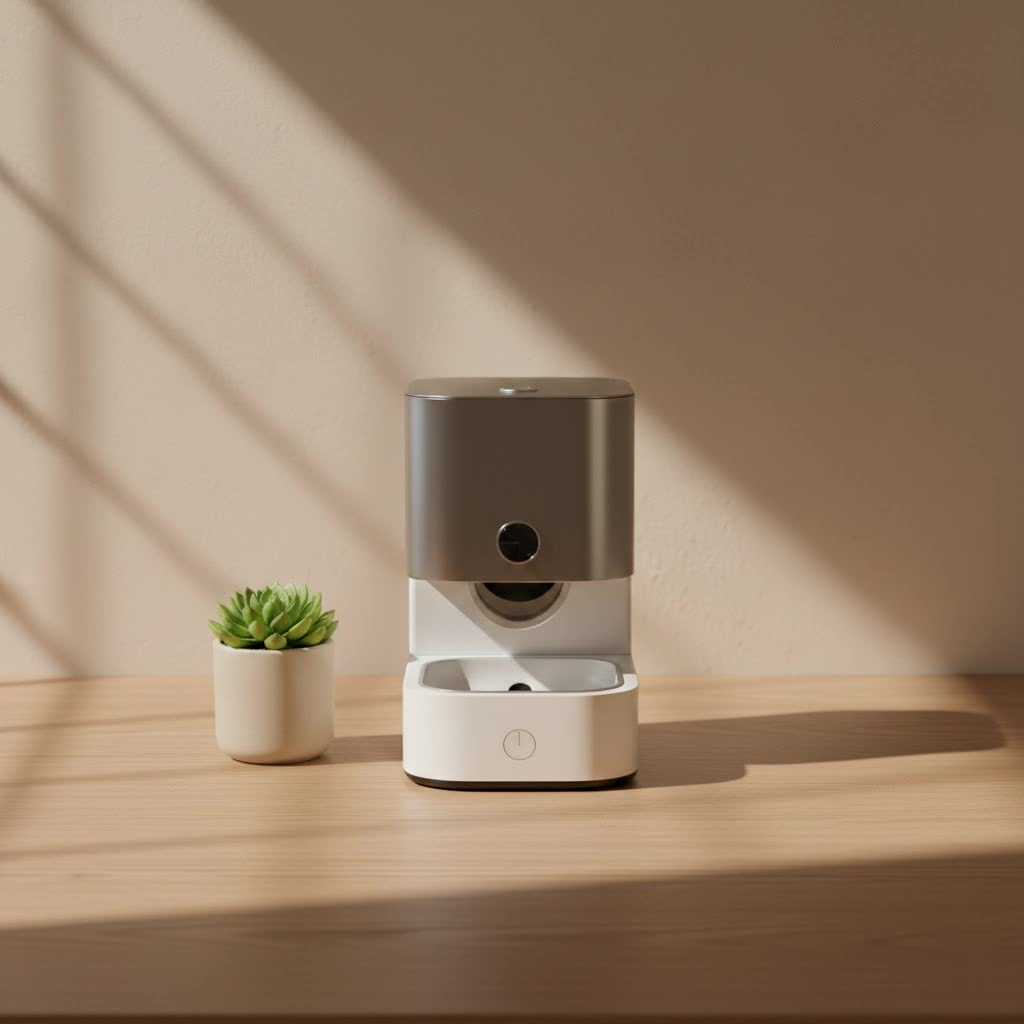
Imagine being able to feed your beloved cat or dog with a tap on your smartphone, even when you’re miles away. This isn’t science fiction; it’s the everyday reality a smart life pet feeder offers. It’s more than just a food dispenser; it’s a dedicated assistant ensuring your pet sticks to a healthy feeding schedule, receives precise portions, and feels your presence even when you’re not physically there.
What is a Smart Life Pet Feeder and Why Do You Need One?
A smart life pet feeder is an automated device designed to dispense dry pet food at scheduled times and in specific portions, all controllable via a smartphone app, typically the Smart Life or Tuya Smart application. This innovative gadget connects to your home’s Wi-Fi network, giving you unparalleled control over your pet’s diet from anywhere.
Why should you consider adding a smart life pet feeder to your home? Well, in our fast-paced lives, it provides a powerful blend of control, convenience, and peace of mind. No more rushing home to feed your pet or relying on neighbors for quick visits. This feeder ensures consistency, which is vital for your pet’s health and well-being.
Key Features to Look For in Your Smart Life Pet Feeder
When diving into the world of smart feeders, certain features stand out as non-negotiable for a truly effective and user-friendly experience:
- Wi-Fi Connectivity: This is the heart of any smart life pet feeder. It allows seamless integration with the Smart Life or Tuya Smart app on your smartphone, enabling remote control and monitoring.
- Programmable Feeding Schedules: The ability to set multiple meals per day (often up to 30) with precise portion sizes is crucial for managing your pet’s diet and preventing overfeeding.
- Remote Food Dispensing: Need to give your pet an extra treat or an unscheduled meal? Many smart feeders allow you to dispense food instantly through the app.
- Large Food Capacity: Feeders typically range from 4 to 6.5 liters, accommodating several days or even weeks of food for most cats and small to medium-sized dogs. This is perfect for busy schedules or short trips.
- Dual Power Options: A reliable smart life pet feeder should operate on both an AC adapter and battery backup (usually D or AA size alkaline batteries). This ensures your pet gets fed even during power outages.
- Built-in Camera and Two-Way Audio: Many advanced models include a camera (often 1080P HD with night vision) and a microphone, allowing you to see, hear, and even speak to your pet remotely. This feature is fantastic for checking in and easing separation anxiety.
- Voice Recording: Personalize meal times by recording a custom message that plays when food is dispensed, making your pet feel closer to you.
- Easy to Clean Design: Look for feeders with detachable parts, especially a stainless steel food bowl, for hygienic and effortless cleaning.
- Slow Feed Mode: For pets that tend to gulp their food, a slow feed mode can dispense meals gradually, promoting healthier eating habits and reducing issues like indigestion.
|
Our Picks for the Best Pet Feeder in 2026
As an Amazon Associate I earn from qualifying purchases.
|
||
| Num | Product | Action |
|---|---|---|
| 1 | VOLUAS Automatic Cat Feeders - Timed Pet Feeder for Cats and Dogs with Dry Food Dispenser, Desiccant Bag, Programmable Portion Control, 4 Daily Meals, 10s Voice Recorder |

|
| 2 | PETLIBRO Automatic Cat Feeder – 3L Programmable Pet Food Dispenser with Airtight Storage, Timed Portion Control, Voice Meal Call & Dual Power Supply, Clog-Free Healthy Feeding for Cats & Small Dogs |
|
| 3 | IMIPAW Automatic Cat Feeders, 3L Timed Cat Dry Food Dispenser with Desiccant Bags, Dual Power Supply, Programmable Portion Size, 6 Meals, 20 Portions Per Day, Auto Pet Feeder for Cats and Small Dogs |
|
| 4 | PETLIBRO Automatic Cat Feeder, 5G WiFi Automatic Dog Food Dispenser with Freshness Preservation, 5L Timed Pet Feeder with Low Food Sensor, Up to 10 Meals Per Day, Granary Black |
|
| 5 | Sure Petcare -SureFlap - SureFeed - Microchip Pet Feeder - Selective-Automatic Pet Feeder Makes Meal Times Stress-Free, Suitable for Both Wet and Dry Food - MPF001 |
|
| 6 | oneisall Automatic Cat Feeder for 2 Cats, 20 Cups/5L Automatic Cat Food Dispenser for Small Pets Indoor, Timed Cat Feeder for Dry Food |
|
| 7 | Amazon Basics Automatic Dog Cat Water Dispenser Gravity Feeder Set, Pack of 2, Small, 6-Pound Food Capacity, 1-Gallon, Gray |
|
| 8 | PETLIBRO Automatic Cat Feeder with Camera, 1080P HD Video with Night Vision, 5G WiFi Pet Feeder with 2-Way Audio, Low Food & Blockage Sensor, Motion & Sound Alerts for Cat & Dog Single Tray |
|
| 9 | Pet Food Maker, Automatic Home Kitchen Appliance for Preparing Fresh Pet Meals |
|
| 10 | Automatic Cat Feeder, 4L Cat Food Dispenser with 10s Voice Recorder, Pet Feeder up to 8 Meals per Day, Timed Dog Feeder with Dry Food Sealed Ring (White, 4L-Basic) |
|
Benefits for You and Your Pet
The advantages of integrating a smart life pet feeder into your routine are manifold:
- Consistent Feeding Schedule: Pets thrive on routine. A smart feeder ensures meals are delivered exactly on time, every time, regulating your pet’s metabolism and behavior.
- Precise Portion Control: Combat obesity and manage specific dietary needs with accurate portioning. No more guesswork or overflowing bowls.
- Peace of Mind: Whether you’re at work, traveling, or simply running errands, you’ll rest easy knowing your pet is fed and cared for.
- Remote Interaction: With camera and audio features, you can visually check on your pet, talk to them, and even offer a treat, bridging the distance.
- Reduced Stress for Pets: A consistent feeding routine can reduce anxiety in pets who might otherwise worry about when their next meal is coming.
- Improved Hygiene: Many feeders feature airtight food storage and easy-to-clean components, keeping food fresh and the feeding area sanitary.
Choosing the Right Smart Life Pet Feeder for Your Furry Friend
Selecting the perfect smart life pet feeder is like finding the right pair of shoes – it needs to fit your needs and your pet’s perfectly. With so many options available, it’s essential to consider a few key factors to ensure you make the best choice.
The right feeder will align with your pet’s size, dietary requirements, and your personal lifestyle. It’s not just about getting any automatic feeder; it’s about getting a smart one that truly integrates into your smart home ecosystem.
Consider Your Pet’s Size and Diet
The size of your pet directly influences the feeder’s capacity and kibble compatibility. A large dog will need a feeder with a greater food reservoir and a dispensing mechanism that can handle larger kibble sizes (typically 2-13mm is the standard range for dry food). Conversely, a smaller cat might do well with a compact unit. Always check the feeder’s specifications for recommended kibble dimensions to avoid jams. If your pet is on a specific diet or prone to overeating, the precision of portion control becomes even more critical.
App Control and Connectivity
Ensure the smart life pet feeder explicitly states compatibility with the Smart Life or Tuya Smart app. Most feeders operate on a 2.4GHz Wi-Fi network, so confirm your home network can support this frequency. While some newer models might support 5GHz, 2.4GHz is more common and offers better range through walls, which is often needed for pet devices. A stable connection is paramount for reliable remote feeding and monitoring.
Camera and Two-Way Audio
For those who want to stay connected with their pets, a built-in camera with two-way audio is a fantastic feature. This allows you to visually check on your pet, capture adorable moments, and even soothe them with your voice. Consider camera resolution (1080P HD is excellent) and night vision capabilities if you plan to monitor your pet in low light conditions.
Battery Backup and Reliability
A feeder with dual power (AC adapter and battery backup) is a must-have. Power outages are unpredictable, and you wouldn’t want your pet to miss a meal. Look for models that use standard D or AA alkaline batteries for backup, as these are readily available and provide extended reliability. This feature is particularly crucial for maintaining consistent feeding schedules.
Setting Up and Maintaining Your Smart Life Pet Feeder Like a Pro
Getting your smart life pet feeder up and running smoothly is surprisingly straightforward, and with a bit of routine maintenance, it will serve you and your pet faithfully for years. Think of it as welcoming a new, high-tech appliance into your home – a little preparation goes a long way.
Proper setup ensures flawless operation, while diligent maintenance guarantees longevity and hygiene for your pet’s meals.
Initial Setup Guide
Here’s a step-by-step walkthrough for setting up your smart life pet feeder:
- Unbox and Assemble: Carefully remove all components from the packaging. Attach the food tray to the base of the feeder, ensuring it’s securely in place.
- Strategic Placement: Choose a stable, quiet location for your feeder. It should be near a power outlet and within strong range of your 2.4GHz Wi-Fi network (ideally within 10 meters of your router, with minimal obstructions). Avoid direct sunlight or damp areas.
- Connect Power: Plug the 5V/1A AC power adapter into a wall socket and connect it to your feeder. For added security, open the battery compartment (usually at the bottom) and install the recommended D or AA alkaline backup batteries. This ensures uninterrupted feeding during power interruptions.
- Fill the Food Tank: Ensure the feeder is clean and dry. Then, fill the food tank with your pet’s dry kibble. Make sure the kibble size falls within the manufacturer’s recommended range (typically 2-13mm) to prevent jamming.
- Download and Install the App: Search for “Smart Life” or “Tuya Smart” in your smartphone’s app store (iOS or Android) and download it.
- Register/Login: Open the app and either create a new account or log in if you already have one.
- Pair the Feeder: Enable Bluetooth and Wi-Fi on your phone. In the app, tap “Add Device.” Many feeders can be auto-discovered via Bluetooth. If not, select “Add Manually,” then navigate to “Small Appliances” and choose “Pet Feeder (Wi-Fi).”
- Connect to Wi-Fi: Follow the in-app prompts. Ensure your phone is connected to your 2.4GHz Wi-Fi network. Enter your Wi-Fi password carefully. The feeder’s indicator light will usually blink slowly during pairing and become solid once connected.
- Customize: Once connected, you can rename your device, set feeding schedules, and record a personalized voice message that plays during meal times.
Programming Feeding Schedules
This is where the magic of the smart life pet feeder truly shines. In the app, you’ll find a “Feeding Plan” or “Schedule” section. You can:
- Add New Plans: Create multiple feeding events for each day of the week.
- Set Time: Specify the exact time for each meal.
- Choose Portions: Select the number of portions per meal, ensuring your pet gets the right amount of food.
- Select Days: Apply the schedule to specific days or every day of the week.
- Save: Don’t forget to save your settings! The feeder will now automatically dispense meals as programmed.
Essential Cleaning and Maintenance
Regular maintenance is key to keeping your smart life pet feeder hygienic and functioning optimally:
- Daily Check: Briefly check the food level in the tank and ensure the dispensing outlet is clear.
- Weekly Cleaning (Food Tray & Bowl): Detach the food tray and stainless steel bowl (if applicable) and wash them with warm, soapy water. Rinse thoroughly and dry completely before reattaching.
- Monthly Deep Clean (Hopper & Dispensing Mechanism): Unplug the feeder and empty any remaining kibble. Use a dry cloth or soft brush to clean inside the food hopper and around the dispensing mechanism to prevent food buildup and potential blockages.
- Battery Check: Regularly inspect the backup batteries. If you’re going away for an extended period, replace them to ensure continuous operation.
- Software Updates: Keep your Smart Life/Tuya Smart app updated to benefit from the latest features and security enhancements.
“A well-maintained smart life pet feeder isn’t just about convenience; it’s a testament to responsible pet ownership,” advises Dr. Eleanor Vance, a renowned veterinary nutritionist. “Consistent hygiene prevents contamination, and reliable operation ensures your pet’s dietary needs are always met.”
Common Smart Life Pet Feeder Problems and Easy Fixes
Even the most advanced technology can encounter a hiccup now and then. Don’t worry if your smart life pet feeder isn’t behaving exactly as expected. With my years of experience, I can tell you that most common issues have simple, straightforward solutions.
Before you panic, take a deep breath. Troubleshooting a smart life pet feeder often involves checking basic connections and settings.
Feeder Not Dispensing Food
If your smart life pet feeder isn’t delivering meals, here’s what to check:
- Is it jammed? The most common culprit is a food blockage. Check the dispensing outlet and the food passage within the feeder. Clear any stuck kibble, paying attention to the recommended kibble size for your specific model.
- Is the food tank empty? It sounds obvious, but it’s an easy oversight! Refill the hopper if needed.
- Are the batteries dead (if running on backup)? If your feeder is operating on battery power, low or dead batteries can affect dispensing. Replace them with fresh alkaline batteries.
- Is the schedule set correctly? Double-check your feeding plan in the Smart Life app to ensure times and portions are properly configured and saved.
- Is the feeder locked? Some models have a physical lock feature. Ensure it’s unlocked if you’re trying to manually dispense or if the automatic feeding isn’t working.
App Connectivity Issues (Feeder Shows Offline)
A feeder that goes offline can be frustrating, but these steps usually resolve the problem:
- Wi-Fi signal strength: The feeder needs a strong 2.4GHz Wi-Fi signal. Ensure the feeder is within 10 meters of your router, with no thick walls or large appliances obstructing the signal.
- Router settings: Most smart feeders require a 2.4GHz network. If your router broadcasts both 2.4GHz and 5GHz networks with the same name, try temporarily disabling the 5GHz band during setup, or ensure you’re connecting to the 2.4GHz option. Also, avoid special characters in your Wi-Fi SSID and password, as some older smart devices can struggle with them.
- Incorrect password: When setting up, even a single typo in the Wi-Fi password will prevent connection. Re-enter it carefully.
- Restart everything: Sometimes, a simple restart of your Wi-Fi router, your smartphone, and the smart life pet feeder itself can clear up connectivity glitches.
- Re-pair the device: If all else fails, you might need to reset the feeder (usually by long-pressing a reset button until an indicator light flashes) and re-pair it with the Smart Life app from scratch.
- App permissions: Ensure the Smart Life app has necessary permissions, especially location services, enabled on your phone.
Camera Not Working
If your feeder’s camera isn’t showing a live feed:
- Check network connection: The camera requires a stable Wi-Fi connection. If the feeder is offline, the camera won’t work. Troubleshoot connectivity first.
- App issues: Close and reopen the Smart Life app. If the problem persists, try uninstalling and reinstalling the app.
- Feeder power: Ensure the feeder has a stable power supply (AC adapter) as camera functions are often more power-intensive. Battery power alone might not always support continuous camera streaming.
Top Smart Life Pet Feeder Brands and Models to Consider
While many brands produce smart pet feeders compatible with the Smart Life or Tuya Smart app, the market is constantly evolving. Instead of focusing on specific model numbers that change rapidly, let’s talk about the characteristics that define the best options.
When choosing a smart life pet feeder, prioritize brands known for their app integration and reliable hardware.
- Integrated Design: Look for brands that offer sleek, durable designs that blend seamlessly into your home. Stainless steel bowls and secure lids are often hallmarks of quality.
- Robust App Experience: The best smart life pet feeders are backed by a polished app experience. This means intuitive scheduling, quick remote dispensing, clear camera feeds (if applicable), and reliable notifications.
- Feature-Rich Options: Brands that offer a comprehensive suite of features—like dual power, voice recording, anti-jamming mechanisms, and slow-feed options—provide more value and adaptability.
- Customer Support: While often overlooked, good customer support for smart home devices is invaluable. Check reviews for mentions of responsive service in case you encounter issues.
Focusing on these attributes will help you find a high-quality smart life pet feeder that provides consistent performance and peace of mind.
Frequently Asked Questions About Smart Life Pet Feeders
Here are some common questions pet parents ask about smart life pet feeders:
Q1: What is the main benefit of using a smart life pet feeder?
A1: The main benefit is gaining precise control over your pet’s feeding schedule and portion sizes from anywhere using your smartphone. This ensures consistency, helps manage your pet’s diet, and provides peace of mind when you’re away.
Q2: Do all smart pet feeders work with the Smart Life app?
A2: No, not all smart pet feeders work with the Smart Life app. Many “Smart Life pet feeders” are specifically designed to integrate with the Smart Life or Tuya Smart ecosystem, but other brands may use their proprietary apps. Always check the product description for app compatibility before purchasing.
Q3: What type of food can I use in a smart life pet feeder?
A3: Smart life pet feeders are generally designed for dry kibble only. Do not use wet food, semi-moist food, or treats larger than the recommended kibble size (typically 2-13mm in diameter) as they can cause blockages or spoil within the feeder.
Q4: What happens if my Wi-Fi goes out? Will my pet still be fed?
A4: Most quality smart life pet feeders come with a battery backup system (often D or AA batteries) in addition to AC power. If your Wi-Fi goes out, the feeder will continue to dispense meals according to the last programmed schedule stored in its internal memory, ensuring your pet doesn’t miss a meal.
Q5: Can I record my voice for feeding calls?
A5: Yes, many smart life pet feeders offer a voice recording feature. You can record a short message (typically up to 10 seconds) that plays automatically when food is dispensed, making mealtime more engaging and familiar for your pet.
Q6: How often should I clean my smart life pet feeder?
A6: It’s recommended to clean the food tray and bowl weekly with warm, soapy water. A deeper clean of the food hopper and dispensing mechanism should be done monthly to prevent food buildup and maintain hygiene. Always ensure all parts are completely dry before reassembling.
Q7: Are smart life pet feeders suitable for multiple pets?
A7: A single smart life pet feeder can work for multiple pets if they share the same diet and can eat together peacefully. However, if your pets have different dietary needs, or if one eats faster than the other, you may need multiple feeders or a feeder specifically designed for multi-pet households.
Final Thoughts on Embracing the Smart Life Pet Feeder
The smart life pet feeder is more than just a gadget; it’s an intelligent solution that strengthens the bond with our pets by providing consistent care, even when our schedules are unpredictable. From managing portion control to offering remote interaction, these devices empower us to be better pet parents, ensuring our furry friends are always well-fed and cherished.
At MJ’s Food Club, we believe in embracing technology that genuinely enhances pet well-being. Investing in a quality smart life pet feeder is investing in your peace of mind and your pet’s health and happiness. Take the leap, simplify your routine, and enjoy the countless benefits this innovative piece of pet tech brings. Your pet will thank you with purrs and wagging tails!
