As a seasoned expert with over 15 years in the pet feeder industry and a content creator for mjsfc.com, I’ve seen countless innovations designed to make our pets’ lives better and our own a little easier. Among the myriad of choices, Petlibro Pet Feeders have carved out a significant niche, offering a blend of technology, convenience, and reliability. If you’re looking to provide consistent meals, manage portions effectively, or simply keep a closer eye on your furry friend, a Petlibro pet feeder might just be the game-changer you need. This comprehensive guide will walk you through everything, from choosing the right model to setting it up and maintaining it, ensuring your pet enjoys perfectly timed meals every single day.
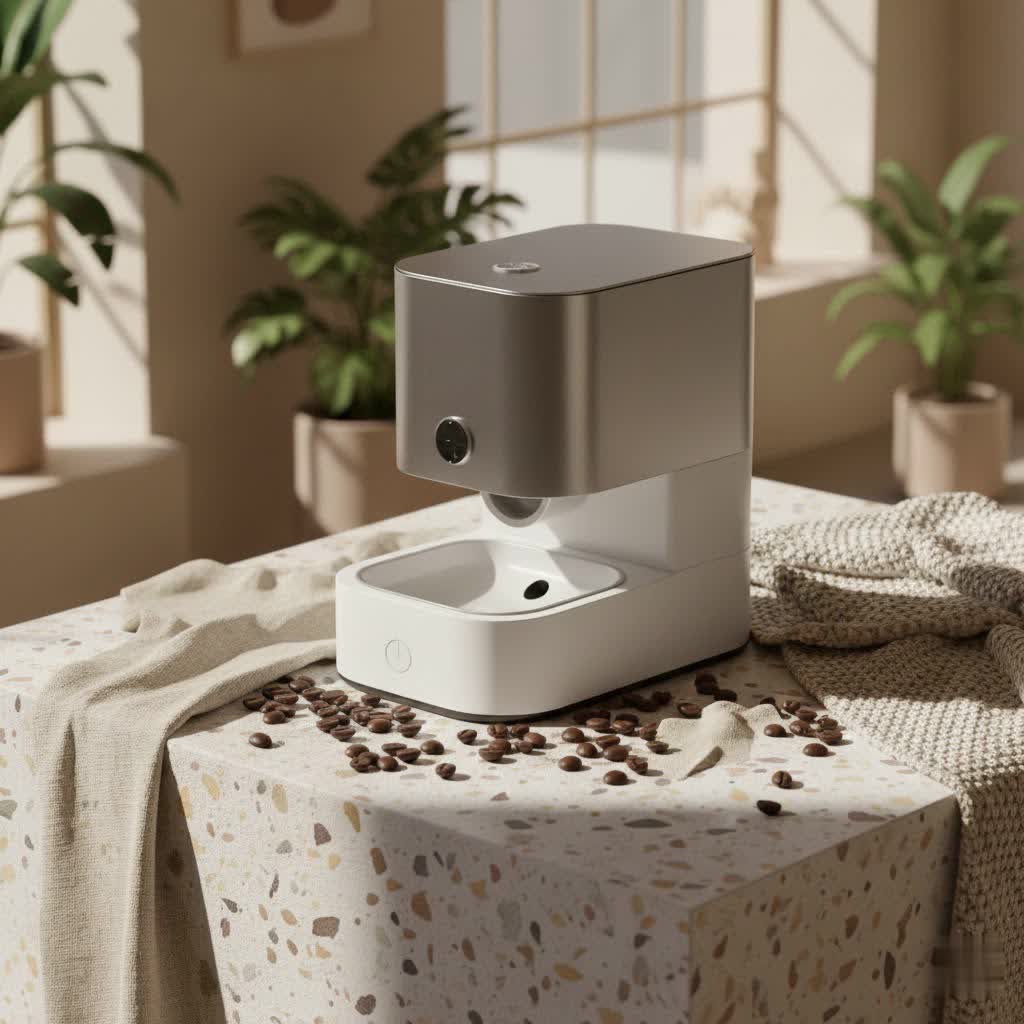
Why Choose a Petlibro Pet Feeder? The Benefits of Automated Feeding
Life gets busy, and sometimes, our schedules don’t align perfectly with our pets’ meal times. That’s where an automatic feeder steps in, offering a world of benefits that extend beyond mere convenience.
- Unmatched Convenience and Peace of Mind: Imagine never rushing home to feed your hungry pet or worrying about skipped meals during a late workday. Petlibro pet feeders handle the timing, giving you the freedom to manage your day without guilt. For those unexpected overnight trips, a feeder with battery backup ensures your pet is fed even during power outages.
- Precision Portion Control for Pet Health: One of the biggest challenges pet owners face is managing their pet’s weight and diet. Petlibro feeders allow you to set precise portion sizes for each meal, preventing overeating and helping pets maintain a healthy weight. This is crucial for animals on specific dietary plans or those prone to obesity.
- Consistent Feeding Schedules: Pets thrive on routine. Regular meal times can reduce anxiety, improve digestion, and even regulate energy levels. An automatic Petlibro pet feeder ensures that meals are delivered at the exact same time every day, fostering a stable and predictable environment for your companion.
- Addressing Early Morning Wakings: Many pet parents know the struggle of being woken up by a hungry pet at dawn. By setting an automatic feeding schedule, your Petlibro feeder can become the early bird, dispensing breakfast before your pet even thinks about nudging you awake.
Diving Deep into Petlibro Models: Finding Your Perfect Match
Petlibro offers a diverse range of pet feeders, each designed to meet different needs and preferences. Understanding the distinctions will help you select the ideal Petlibro pet feeder for your household.
Basic & Programmable Feeders
These models are the foundation of automated feeding, perfect for those who need reliable, scheduled meal delivery without extensive smart features.
- Features: Typically include a simple LCD screen and buttons for setting feeding schedules (up to 6 meals per day) and customizable portion sizes (e.g., 1-16 portions, with each portion around 10.4ml for some models). They usually have a large food tank capacity (e.g., 2L for the Petlibro Air) and a battery backup for uninterrupted feeding. Many are designed with multi-sealing features and secure rotors to keep food fresh and prevent pests.
- Ideal for: Pet owners seeking straightforward automation and reliability.
|
Our Picks for the Best Pet Feeder in 2026
As an Amazon Associate I earn from qualifying purchases.
|
||
| Num | Product | Action |
|---|---|---|
| 1 | Automatic Cat Feeder, 4L Cat Food Dispenser with 10s Voice Recorder, Pet Feeder up to 8 Meals per Day, Timed Dog Feeder with Dry Food Sealed Ring (White, 4L-Basic) |

|
| 2 | Pet Food Maker, Automatic Home Kitchen Appliance for Preparing Fresh Pet Meals |
|
| 3 | oneisall Automatic Cat Feeder for 2 Cats, 20 Cups/5L Automatic Cat Food Dispenser for Small Pets Indoor, Timed Cat Feeder for Dry Food |
|
| 4 | Amazon Basics Automatic Dog Cat Water Dispenser Gravity Feeder Set, Pack of 2, Small, 6-Pound Food Capacity, 1-Gallon, Gray |
|
| 5 | VOLUAS Automatic Cat Feeders - Timed Pet Feeder for Cats and Dogs with Dry Food Dispenser, Desiccant Bag, Programmable Portion Control, 4 Daily Meals, 10s Voice Recorder |
|
| 6 | PETLIBRO Automatic Cat Feeder with Camera, 1080P HD Video with Night Vision, 5G WiFi Pet Feeder with 2-Way Audio, Low Food & Blockage Sensor, Motion & Sound Alerts for Cat & Dog Single Tray |
|
| 7 | Sure Petcare -SureFlap - SureFeed - Microchip Pet Feeder - Selective-Automatic Pet Feeder Makes Meal Times Stress-Free, Suitable for Both Wet and Dry Food - MPF001 |
|
| 8 | PETLIBRO Automatic Cat Feeder, 5G WiFi Automatic Dog Food Dispenser with Freshness Preservation, 5L Timed Pet Feeder with Low Food Sensor, Up to 10 Meals Per Day, Granary Black |
|
| 9 | PETLIBRO Automatic Cat Feeder – 3L Programmable Pet Food Dispenser with Airtight Storage, Timed Portion Control, Voice Meal Call & Dual Power Supply, Clog-Free Healthy Feeding for Cats & Small Dogs |
|
| 10 | IMIPAW Automatic Cat Feeders, 3L Timed Cat Dry Food Dispenser with Desiccant Bags, Dual Power Supply, Programmable Portion Size, 6 Meals, 20 Portions Per Day, Auto Pet Feeder for Cats and Small Dogs |
|
Wi-Fi Enabled Smart Feeders
For those who want to control and monitor feeding from anywhere, Petlibro’s smart feeders offer advanced connectivity.
- Features: Connect to your home Wi-Fi and are controlled via the intuitive Petlibro app. This allows for remote scheduling, real-time adjustments to meal times and portions (up to 10 meals, 1-50 portions), and access to feeding history logs. Many smart feeders also incorporate a replaceable desiccant bag to keep kibble fresh.
- Ideal for: Busy individuals, frequent travelers, or anyone who values remote management and detailed tracking.
Camera-Equipped Feeders for Ultimate Connectivity
Taking smart feeding a step further, these models integrate a camera for visual monitoring and interaction.
- Features: Often include a 1080p, wide-angle camera for live video streaming, allowing you to check in on your pet anytime, anywhere. Many also feature two-way audio, so you can speak to your pet and hear their responses, even pre-record personalized meal calls.
- Benefits: Offers unparalleled peace of mind, allowing you to virtually “be there” for your pet, especially if you have an anxious or lonely companion. It’s also great for monitoring eating habits.
- Example: The Petlibro Granary Smart Camera Feeder. While early versions had some camera bugs, Petlibro has consistently rolled out firmware updates to address these issues, demonstrating a commitment to product improvement.
Specialized Feeders (e.g., Dual Tray, RFID)
Petlibro also offers specialized solutions for unique pet care scenarios.
- Dual Tray Feeders: Models like the Petlibro Granary Dual Automatic Feeder come with two feeder trays and a splitter, making them excellent for multi-pet households where cats share a feeding station but may need different portion sizes. The dual stainless steel trays are hygienic and easy to clean.
- RFID Feeders: The Petlibro One RFID Pet Feeder utilizes RFID technology, which is particularly useful for multi-pet homes with specific dietary needs. By pairing with an RFID collar tag, the feeder can ensure only the designated pet accesses their food, preventing food theft or overeating among pets on restricted diets.
Setting Up Your Petlibro Feeder: A Step-by-Step Guide
Getting your Petlibro pet feeder up and running is generally a straightforward process. Here’s a general guide to help you.
Initial Assembly and Placement
- Unbox and Assemble: Carefully unpack all components. Most feeders come with a main unit, food hopper, stainless steel bowl, and power adapter. Assemble the feeder, ensuring all parts fit snugly. Some parts might be stored inside the food tank, so check thoroughly.
- Power Up: Connect the power adapter to the feeder and a wall outlet. Many Petlibro feeders also accommodate D-cell batteries for backup power during outages. Install these for peace of mind.
- Strategic Placement: Place your feeder on a stable, flat surface in an area accessible to your pet but away from direct sunlight or excessive humidity.
Programming Basic Feeders
For models without Wi-Fi, programming is done directly on the device using its LCD screen and buttons.
- Set Current Time: Press the “Set/OK” button to enter the settings. Use the “+/-” buttons to adjust hours and minutes, then confirm.
- Set Feeding Plans: After setting the time, the feeder will prompt you to set feeding plan 1. Press “Set/OK,” adjust the feeding time and portion size using the “+/-” buttons, and confirm. Repeat for up to 6 meal plans. To skip a plan, simply move to the next. To cancel a plan, set the portion to 0.
- Record a Voice Message (if available): Many models allow you to record a short voice message to play at meal times. Press and hold the record button (usually for 3 seconds) to start recording, and release to finish.
Connecting Smart Feeders to the App
For Wi-Fi and camera-enabled Petlibro pet feeders, the app is your command center.
- Download the Petlibro App: Search for “Petlibro” in your smartphone’s app store and download it.
- Create an Account: Follow the prompts to sign up or log in.
- Pair the Device: Plug in your Petlibro pet feeder. Open the app, tap the “plus” sign to add a device, and select your feeder model. Follow the on-screen instructions to connect to your Wi-Fi network. Ensure your phone is connected to the same 2.4GHz Wi-Fi network.
- Firmware Updates: The app will likely prompt you to install any available firmware updates. It’s crucial to keep your feeder updated for optimal performance and security.
- Schedule and Monitor: Once connected, you can use the app to customize feeding schedules, portion sizes, view live camera feeds, record voice messages, and review feeding history.
RFID Collar Pairing (for RFID Models)
If you have a Petlibro One RFID Pet Feeder, you’ll need to pair the RFID collar tags.
- Access App Settings: In the Petlibro app, navigate to the RFID feeder’s settings.
- Initiate Pairing: Tap the option to add a collar.
- Place Collar: Place the RFID-enabled collar or tag on the feeder’s RFID reader. The app should detect it.
- Confirm and Assign: Confirm the pairing in the app and assign it to a specific pet profile if you have multiple.
Maximizing Your Petlibro Experience: Tips for Use and Maintenance
To ensure your Petlibro pet feeder performs optimally and provides long-lasting service, a few best practices are key.
- Choose the Right Kibble Size: Most Petlibro feeders are designed for dry kibble ranging from 2-15mm in diameter. Using kibble outside this range can lead to dispensing issues or blockages.
- Regular Cleaning is Essential: For hygiene and proper functionality, clean your Petlibro pet feeder regularly. Disassemble the food hopper, stainless steel bowl, and bowl tray, and wash them with soap and water. The main feeder base usually contains electronics and should not be washed; instead, wipe it clean with a damp cloth. Ensure all parts are completely dry before reassembling.
- Replace Desiccant Bags: For models equipped with a desiccant bag, replace it every half month to ensure the food remains fresh and dry, preventing mold or staleness.
- Troubleshooting Common Issues:
- Lid Security: Some older models had concerns with determined pets opening the lid. Petlibro has addressed this with updated lid designs, but if your pet is a “food thief,” monitor their interactions. For RFID models, ensure collars are properly paired.
- Portion Accuracy: While generally reliable, portion accuracy can vary slightly, especially with very small kibble or if your pet is on a strict veterinary diet where every gram matters. If precision is paramount, consider feeders with built-in scales (though less common) or monitor the dispensed amount to adjust portion settings accordingly.
- Camera Connectivity: If your camera-equipped feeder experiences disconnections, check your Wi-Fi signal strength and ensure the feeder’s firmware is up to date via the app. A factory reset (as a last resort) and re-pairing can often resolve persistent issues.
- Utilize the Voice Recording Feature: A familiar voice can provide comfort to your pet, especially when you’re away. Make good use of the meal call feature to let them know food is on its way.
What Pet Owners Are Saying: Petlibro Feeder Reviews at a Glance
User feedback on Petlibro pet feeders is largely positive, highlighting several key strengths. Many users praise the ease of setup and intuitive app functionality, noting that programming feeding schedules is straightforward and user-friendly. The reliability of dispensing is frequently mentioned, giving owners peace of mind that their pets are consistently fed. The convenience aspect is a recurring theme, with owners appreciating the ability to control feeding remotely and the freedom it provides for their daily routines and travel.
However, like any product, Petlibro feeders have faced some constructive criticism. Early concerns were sometimes raised about lid security on certain models, with very clever cats managing to access the food. Petlibro has actively responded to this with improved lid designs and customer support. Another point occasionally noted is the portion accuracy for pets on extremely strict, gram-specific diets, particularly with very small kibble, where volumetric dispensing might have slight variations. For standard feeding, it’s usually sufficient, but for specific medical needs, closer monitoring or calibration might be required. Despite these points, the overall sentiment points to a company that listens to its customers and continually works to enhance its products.
“In my experience, consistent feeding is paramount for a pet’s digestive health and emotional well-being,” notes Dr. Amelia Harding, a renowned Feline Nutritionist. “Automated feeders like Petlibro’s provide that crucial routine, which can significantly reduce stress in pets and help manage their dietary needs more effectively.”
Frequently Asked Questions (FAQ) About Petlibro Pet Feeders
Q: Can Petlibro feeders dispense wet food?
A: Most Petlibro automatic feeders are designed exclusively for dry kibble. While Petlibro does offer specific wet food feeders (like the Polar Wet Food Feeder), their main automatic dry food dispensers are not suitable for wet food.
Q: How accurate are Petlibro portions?
A: Petlibro feeders generally provide reliable portion dispensing based on volume. While there might be slight variations depending on kibble size and shape, for most pets, the accuracy is sufficient for daily feeding. For pets on strict medical diets where precise gram measurements are critical, it’s advisable to monitor the dispensed amount and adjust settings as needed.
Q: Do Petlibro feeders have a battery backup?
A: Yes, many Petlibro pet feeders come with a battery backup option (typically using D-cell batteries) in addition to being plug-in. This ensures that your pet’s feeding schedule remains uninterrupted even during power outages.
Q: Can my pet break into the feeder?
A: Petlibro has continually improved the security of its feeders. Newer models often feature secure twist-lock lids and rotor designs to prevent determined pets from accessing food prematurely. For particularly crafty pets, the RFID models offer an added layer of security, ensuring only the intended pet can access their meal.
Q: How do I clean my Petlibro feeder?
A: The food hopper, stainless steel bowl, and bowl tray are usually removable and dishwasher-safe or can be washed by hand with soap and water. The main feeder base, which contains electronics, should only be wiped clean with a damp cloth and never submerged in water. Always ensure all parts are completely dry before reassembly.
Q: What kibble size is compatible with Petlibro feeders?
A: Most Petlibro dry food feeders are designed to dispense kibble with a diameter between 2mm and 15mm. Using kibble outside this range may lead to blockages or inaccurate dispensing.
Q: Is the Petlibro app user-friendly?
A: Petlibro’s app is widely praised for its intuitive design and ease of use. It allows for straightforward setup, scheduling, and remote monitoring, making it simple for pet owners to manage their feeder’s functions.
Final Thoughts: Embracing the Future of Pet Care with Petlibro
Investing in a Petlibro pet feeder isn’t just about automation; it’s about investing in your pet’s health, happiness, and your own peace of mind. From the basic programmable models to the advanced smart feeders with cameras and RFID technology, Petlibro offers a solution for every pet household. By providing consistent meal times, precise portion control, and the ability to connect with your pet even when you’re away, a Petlibro pet feeder transforms your daily routine into a seamless and stress-free experience. Embrace the innovation and join the growing community of pet parents who trust Petlibro to keep their beloved companions well-fed and thriving. Explore the possibilities and discover how a Petlibro pet feeder can enhance your pet care journey today!
