Welcome to MJ’s Food Club, where our passion is empowering pet parents with the knowledge to provide the best for their furry family members. As someone who has spent over 15 years knee-deep in the world of automated pet feeding, I know firsthand the peace of mind a reliable pet feeder can bring. Today, we’re diving deep into the Qpets Automatic Pet Feeder, a popular choice for many, to help you understand its ins and outs, from setup to advanced troubleshooting. Whether you’re a seasoned Qpets user or just considering one, this guide will equip you to make the most of this handy device and ensure your beloved companion gets their meals on schedule, every time.
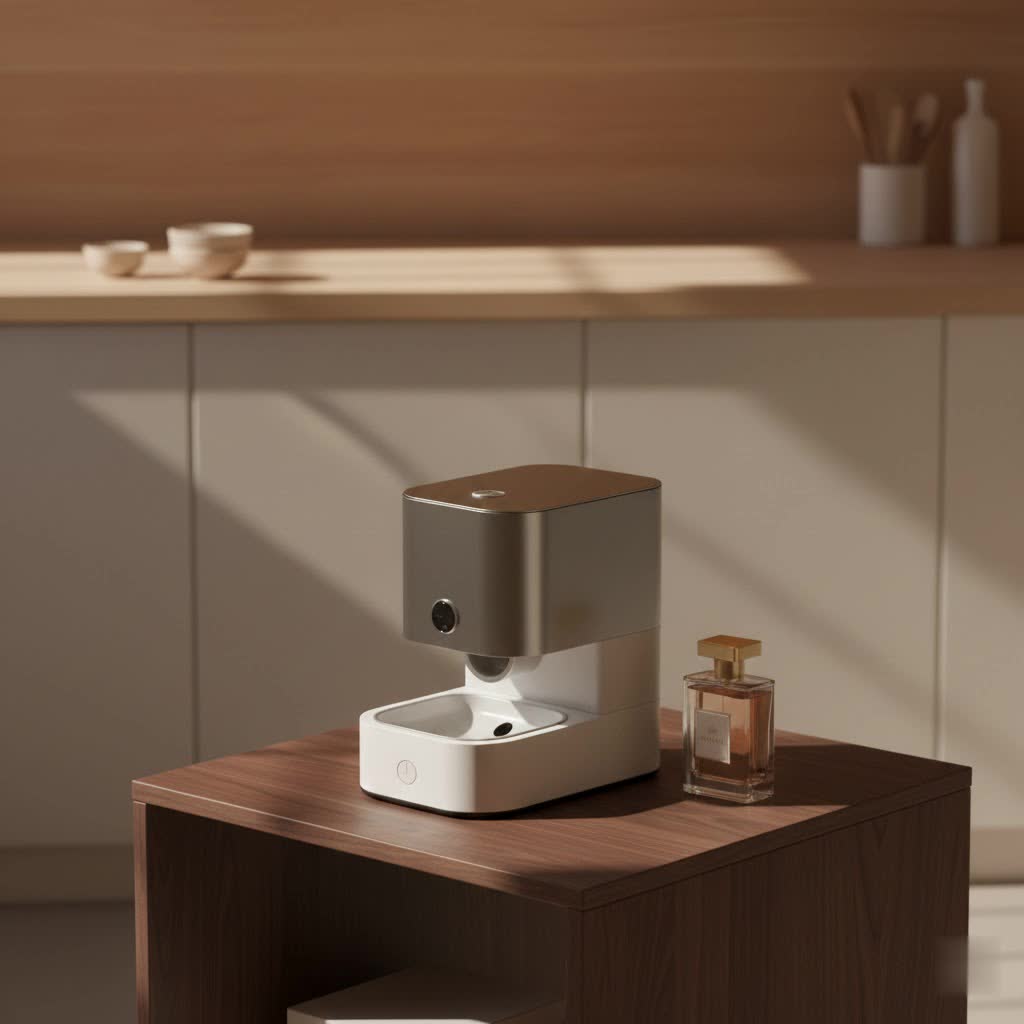
What Makes the Qpets Automatic Pet Feeder Stand Out?
The Qpets automatic pet feeder, particularly its 6-meal timed models, has carved a niche for itself as a practical solution for daily feeding routines. It’s designed to bring consistency to your pet’s diet, freeing you from mealtime worries, especially when your schedule gets a little hectic.
Key Features at a Glance
At its core, the Qpets feeder offers a suite of features aimed at simplifying pet feeding:
- Programmable Meals: Most Qpets models allow you to schedule up to six meals a day, ensuring your pet receives regular, portion-controlled feedings. This is fantastic for maintaining a healthy weight and consistent digestion.
- Adjustable Portion Sizes: You have the flexibility to customize how much food is dispensed with each meal, tailoring it precisely to your pet’s dietary needs.
- Voice Recording Feature: A unique and heartwarming touch, you can record a personalized 6-second message that plays at each feeding time, calling your pet to eat with a familiar voice.
- Clear LCD Display: The easy-to-read LCD screen allows you to monitor and adjust settings effortlessly, though some models might feel a bit like programming an old VCR at first!
- Battery-Operated Convenience: Running on C-size or D-size batteries (depending on the model), the Qpets feeder offers placement flexibility without needing a nearby power outlet. A handy low-battery indicator will alert you when it’s time for a change.
- Secure Lid Design: Many models come with dual snapping locks on the lid, a thoughtful design to deter even the cleverest of pets from accessing their food prematurely.
|
Our Picks for the Best Pet Feeder in 2026
As an Amazon Associate I earn from qualifying purchases.
|
||
| Num | Product | Action |
|---|---|---|
| 1 | Sure Petcare -SureFlap - SureFeed - Microchip Pet Feeder - Selective-Automatic Pet Feeder Makes Meal Times Stress-Free, Suitable for Both Wet and Dry Food - MPF001 |

|
| 2 | Pet Food Maker, Automatic Home Kitchen Appliance for Preparing Fresh Pet Meals |
|
| 3 | Amazon Basics Automatic Dog Cat Water Dispenser Gravity Feeder Set, Pack of 2, Small, 6-Pound Food Capacity, 1-Gallon, Gray |
|
| 4 | PETLIBRO Automatic Cat Feeder, 5G WiFi Automatic Dog Food Dispenser with Freshness Preservation, 5L Timed Pet Feeder with Low Food Sensor, Up to 10 Meals Per Day, Granary Black |
|
| 5 | oneisall Automatic Cat Feeder for 2 Cats, 20 Cups/5L Automatic Cat Food Dispenser for Small Pets Indoor, Timed Cat Feeder for Dry Food |
|
| 6 | IMIPAW Automatic Cat Feeders, 3L Timed Cat Dry Food Dispenser with Desiccant Bags, Dual Power Supply, Programmable Portion Size, 6 Meals, 20 Portions Per Day, Auto Pet Feeder for Cats and Small Dogs |
|
| 7 | PETLIBRO Automatic Cat Feeder – 3L Programmable Pet Food Dispenser with Airtight Storage, Timed Portion Control, Voice Meal Call & Dual Power Supply, Clog-Free Healthy Feeding for Cats & Small Dogs |
|
| 8 | Automatic Cat Feeder, 4L Cat Food Dispenser with 10s Voice Recorder, Pet Feeder up to 8 Meals per Day, Timed Dog Feeder with Dry Food Sealed Ring (White, 4L-Basic) |
|
| 9 | VOLUAS Automatic Cat Feeders - Timed Pet Feeder for Cats and Dogs with Dry Food Dispenser, Desiccant Bag, Programmable Portion Control, 4 Daily Meals, 10s Voice Recorder |
|
| 10 | PETLIBRO Automatic Cat Feeder with Camera, 1080P HD Video with Night Vision, 5G WiFi Pet Feeder with 2-Way Audio, Low Food & Blockage Sensor, Motion & Sound Alerts for Cat & Dog Single Tray |
|
Why Qpets Might Be Right for Your Pet
The Qpets feeder truly shines for pet owners who need a reliable way to manage portion control and maintain a consistent feeding schedule. It’s an excellent option for short trips away from home, allowing you to trust that your pet’s mealtimes won’t be missed. It’s also particularly beneficial for pets who thrive on smaller, more frequent meals throughout the day. “For pets prone to overeating or those on a strict diet, automated feeders like the Qpets can be a game-changer,” says Dr. Evelyn Reed, a seasoned veterinarian and pet care technologist. “They remove the human error factor and reinforce healthy eating habits.”
Getting Started: Setting Up Your Qpets Feeder with Ease
Setting up your Qpets automatic pet feeder is usually a straightforward process, but getting those initial settings just right is key to a happy pet and a smoothly running device.
Unboxing and Initial Power-Up
- Unpack: Carefully remove all components from the box, including the feeder base, food tray, lid, and user manual.
- Install Batteries: Locate the battery compartment, typically on the bottom of the feeder. Insert four C-size or D-size batteries (check your specific model’s manual for the correct type). Ensure they are inserted with the correct polarity.
- Power On: Flip the power switch, usually found near the battery compartment. The feeder will often cycle once and the LCD display will light up, ready for programming.
Step-by-Step Programming Guide
This is where the magic happens! While the interface might feel a bit “retro” for some, follow these steps, and you’ll master it in no time.
- Set the Current Time:
- After powering on, the display will show a default time (e.g., “12:01” or “12:00”).
- Press and hold the “SET” or “CLOCK” button (refer to your manual) for a few seconds until the hour digit starts blinking.
- Use the “MODE” or “UP/DOWN” buttons to adjust the hour. Remember to set AM/PM correctly if your model uses a 12-hour format.
- Press “SET” again to move to the minutes, then adjust with “MODE” or “UP/DOWN.”
- Press “SET” one last time to confirm. You might also have an option to switch between 12-hour and 24-hour formats.
- Program Feeding Times and Portion Sizes:
- Your feeder can usually be programmed for up to six different meal times.
- Press the “MODE” button to cycle through the meal settings (e.g., F1, F2, F3…).
- When you’re at the desired meal setting (e.g., F1), press and hold “SET” until the time starts blinking.
- Adjust the hour and minutes using “MODE” or “UP/DOWN,” just like setting the current time.
- After setting the time, press “SET” to move to the portion size setting. Use “MODE” or “UP/DOWN” to select the number of portions (e.g., 1-9, depending on your model). A good rule of thumb is to start with a smaller portion and observe your pet, adjusting as needed.
- Repeat this process for each scheduled meal.
- Record Your Voice Message:
- Locate the “REC” button. Press and hold it.
- Speak clearly into the microphone (usually a small hole near the control panel) for up to 6 seconds, calling your pet.
- Release the “REC” button when finished.
- Press the “PLAY” button to listen to your message and ensure it’s clear.
Important Note: Some Qpets models might require you to press a “START NOW” or “START TOMORROW” button after programming to activate the feeding schedule. Always consult your specific model’s manual for precise instructions.
Keeping It Running Smoothly: Maintenance and Care Tips
Just like any appliance, your Qpets automatic pet feeder thrives with a little TLC. Regular maintenance ensures its longevity and keeps your pet’s food fresh and safe.
Regular Cleaning for Optimal Performance
Food residue and dust can build up, potentially leading to jams or hygiene issues.
- Disassemble: Before cleaning, turn off the feeder and remove the lid and food tray.
- Wash Components: The removable food tray is usually dishwasher-safe or can be hand-washed with warm, soapy water. For the base unit, wipe it down with a damp cloth. Avoid submerging the electronic base in water.
- Dry Thoroughly: Ensure all parts are completely dry before reassembling to prevent moisture-related problems.
- Inspect Dispenser: Periodically check the dispensing mechanism for any stuck kibble or debris. A small brush can be useful for clearing out tight spots. Aim for a weekly cleaning for best results.
Battery Best Practices
Since Qpets feeders rely on batteries, managing them correctly is crucial.
- Use Quality Batteries: Invest in good quality alkaline batteries. They tend to last longer and perform more consistently.
- Monitor the Low Battery Indicator: Don’t ignore that red LED! Change all batteries as soon as the indicator lights up.
- Replace All Batteries at Once: Avoid mixing old and new batteries, as this can affect performance and potentially lead to leakage.
- Reprogram After Battery Change: This is a critical point! Most Qpets feeders will reset their clock and feeding schedule when batteries are replaced or power is lost. Always be prepared to reprogram your settings after a battery change.
Troubleshooting Common Qpets Automatic Pet Feeder Issues
Even the most reliable devices can have hiccups. With my years of experience, I’ve seen pet parents face similar challenges. Here’s how to tackle the most common Qpets issues:
Food Not Dispensing: Jams and Blockages
This is perhaps the most frustrating problem, as it directly impacts your pet’s meal.
- Check Kibble Size: Qpets feeders are designed for specific kibble sizes. If your kibble is too large or an unusual shape, it can easily get stuck. Ensure your pet’s food is compatible with the feeder’s specifications.
- Inspect for Blockages: Turn off the feeder and open the dispenser area. Look for any lodged pieces of kibble, crumbs, or other debris. Gently remove them.
- Clean Regularly: As mentioned, a build-up of food particles can contribute to jams. Stick to a regular cleaning schedule.
Schedule and Timer Woes
“My feeder isn’t dispensing at the right time!” is a common cry.
- Verify Current Time: The most frequent culprit is an incorrect internal clock. After any power interruption or battery change, immediately check and reset the feeder’s clock, paying close attention to AM/PM settings.
- Double-Check Programming: It’s easy to make a mistake. Go back through your programmed feeding schedule, meal by meal, and ensure all times and portion sizes are correct. If in doubt, delete all schedules and reprogram from scratch.
- Power Interruptions: If your area experiences frequent power outages, remember that your battery-operated Qpets feeder will need its time and schedule reset when power is lost (or batteries are removed).
Pet-Proofing Your Feeder
Some pets are natural masterminds when it comes to food.
- Lid Security: Ensure the dual snapping locks on the lid are fully engaged. While designed to be secure, an exceptionally determined or large pet might still manage to pry it open.
- Tipping Over: Some Qpets models, especially when lightly filled, can be prone to tipping by aggressive or larger pets. Consider placing the feeder in a corner or against a wall, or using non-slip mats underneath for added stability.
Addressing the “Reset” Annoyance
A common point of frustration for Qpets users is that settings often reset when batteries are replaced or the unit is powered off for an extended period. This isn’t a malfunction; it’s how many simpler battery-operated feeders manage memory to conserve power. While smart feeders with Wi-Fi might retain settings, the Qpets prioritizes battery life. The best solution is to simply be prepared to reprogram. Consider adding a note to your calendar to check and reset your feeder’s schedule when daylight saving time changes or after a power outage.
Beyond the Basics: Advanced Tips for Qpets Users
With a little ingenuity, you can optimize your Qpets experience even further.
Maximizing Wet Food Freshness
While Qpets feeders are primarily designed for dry kibble, you can use them for wet food for very short durations. If you need to offer a wet meal while you’re out for a few hours:
- The Freezer Trick: Fill the removable tray with canned food and place it in the freezer overnight. This will help keep the food cool for up to 8 hours once it’s in the feeder, slowing down spoilage. This is a temporary solution and not recommended for extended periods, especially in warm climates.
When to Consider an Upgrade or Supplement
The Qpets feeder is an excellent entry-level or supplementary device. However, your needs might evolve:
- Longer Trips: For trips longer than 2-3 days, a feeder with a much larger capacity or even a smart feeder with remote monitoring capabilities might be more suitable.
- Aggressive Eaters: If your pet consistently manages to tip the feeder or break into the lid, you might need a heavier, more robust model or one with a more sophisticated locking mechanism.
- Advanced Features: If you desire features like smartphone control, feeding history reports, or integration with other smart home devices, exploring Wi-Fi enabled smart feeders would be the next step. “Every pet is unique, and their feeding needs can change,” advises Dr. Reed. “It’s always worth reassessing if your current feeder still meets those needs effectively.”
Frequently Asked Questions About the Qpets Automatic Pet Feeder
How many meals can the Qpets feeder dispense?
Most Qpets automatic pet feeder models, particularly the popular timed versions, can be programmed to dispense up to six individual meals per day.
Does the Qpets feeder keep food fresh?
The Qpets feeder’s design helps keep dry kibble fresh by storing it in an enclosed compartment, but it does not have active cooling or airtight seals for extended freshness, especially for opened wet food.
Can I use wet food in my Qpets feeder?
While primarily designed for dry kibble, you can use wet food for very short periods. A common tip is to freeze the wet food in the tray beforehand to keep it cool for up to 8 hours. However, it’s not ideal for long-term wet food dispensing.
What kind of batteries does the Qpets feeder use?
Most Qpets automatic pet feeders require four C-size or D-size batteries. Always check your specific model’s user manual to confirm the correct battery type.
Why does my Qpets feeder keep resetting?
Qpets feeders often reset their clock and programmed feeding schedules when the batteries are completely depleted, replaced, or when the unit is turned off for an extended period. This is a common characteristic of simpler battery-operated feeders and requires you to reprogram the settings.
Elevate Your Pet’s Mealtime Experience
The Qpets automatic pet feeder is a fantastic tool for modern pet parenting, offering reliability and convenience that can truly make a difference in your daily life and your pet’s well-being. By understanding its features, mastering its setup, and knowing how to troubleshoot common issues, you’re not just using a device; you’re creating a consistent, healthy feeding routine for your cherished companion. At MJ’s Food Club, we’re here to ensure you feel confident and empowered in every aspect of your pet’s care. Keep those feeding schedules optimized, and enjoy the extra moments of joy with your happy, well-fed pet!
